How to Get Amazon Affiliate Links: A Step-by-Step Guide
Category: How to get amazon affiliate link
Ready to turn your product recommendations into a real income stream? The first step is getting your hands on an Amazon affiliate link, and that all starts with joining the free Amazon Associates program.
Once you’re in, you can create special, trackable links for pretty much any product on Amazon. When a reader clicks that link and makes a purchase, you earn a commission. It’s that simple. This guide will walk you through everything, from the initial sign-up to generating links manually versus automating the process for maximum efficiency.
Your First Step to Earning with Amazon
Your journey into affiliate marketing starts by joining one of the oldest and most trusted affiliate networks out there. Amazon Associates has been around since 1996 and absolutely dominates the space, holding nearly 48% of the entire affiliate network market share.
What makes it so powerful? A gigantic selection of products and a brand name that people already know and trust. This gives you a really solid foundation to build on as a creator.
Think of your Amazon affiliate link as a unique digital fingerprint. It's a special URL with your personal tracking ID embedded in it, which is how Amazon knows you sent the customer their way. If that ID is missing, you don't get credit for the sale. For a deeper dive into how this all works, check out our guide on how Amazon affiliate marketing works.
Manual vs. Automated Link Creation: A Quick Comparison
When you first start, you’ll probably use Amazon's own tool, SiteStripe, to create links one by one. This manual approach is fine if you're just recommending a product here and there. But what if you're writing a big holiday gift guide or a "Top 10" product roundup? Making each link manually becomes a huge time sink. It’s like trying to unload a car full of groceries by carrying one item inside at a time—sure, you'll get it done eventually, but it's painfully slow.
The real challenge for growing creators isn't just making a single link; it's making dozens of them quickly and accurately without letting simple mistakes cost you money.
This is exactly where automation tools like Coral come in and change everything. Instead of that tedious one-by-one process, you can generate all your links in bulk with just a single click. This doesn't just save you time; Coral's one-click generation also helps prevent broken links and tracking errors, making sure every single click has the potential to earn you a commission. While the Amazon Associates Program is a fantastic starting point, it's also smart to see what else is out there; you can explore other affiliate programs to diversify your income.
Step 1: Join the Amazon Associates Program
First things first: before you can even think about generating affiliate links, you need to get accepted into the Amazon Associates program. Think of it as your official entry ticket. The application is the first real hurdle, and how you handle it sets the tone for your entire affiliate marketing journey.
The signup process itself is pretty direct, but every little detail counts. You'll be asked for your basic account info, the websites or social media accounts you'll be using, and a bit about your overall content plan.
The Application Checklist
To make sure your application goes through without a hitch, it pays to have all your information ready before you start. It’s like prepping your ingredients before you start cooking—it just makes everything go smoother and quicker.
Here’s a quick rundown of what you’ll need:
- Account Information: The basics—your name, address, and phone number.
- Website and App List: Every URL where you plan to post links. This could be your blog, a YouTube channel, or even a Facebook page. Just make sure you actually own it or have control over the content.
- Profile Details: A short description of what your site is about, the kind of topics you cover, and the Amazon products you think you'll promote.
- Traffic and Monetization: A bit about how people find your site and if you're making money from it in other ways.
One of the most important fields you'll fill out is your Store ID. This is your unique username that gets embedded in all your affiliate links, so Amazon knows to credit you for a sale. Choose something that makes sense for your brand—like "bestgardentools-20"—not just a random jumble of letters.
Avoiding Common Application Pitfalls
Plenty of people get their applications rejected, and honestly, it's usually for simple, avoidable reasons. The biggest mistake? Applying with a brand-new website that has hardly any content on it. Amazon wants to partner with people who have an established platform and a real audience, not just a site with a "coming soon" page.
Think of your application as a promise to Amazon that you’ll be a good partner. A site that’s half-finished or empty sends the wrong signal and usually gets a swift "no."
Another thing to watch out for is policy violations. Read Amazon's operating agreement. Seriously. Make sure your content doesn't break any of their rules, like making false claims about products or creating content for kids. If you take the time to build a quality site with helpful, original content first, you'll sail through the approval process and get your affiliate journey started on the right foot.
Step 2: Create Links Manually with Amazon SiteStripe
Alright, so you're officially an Amazon Associate. What's next? Your new best friend is a tool called SiteStripe, and you'll see it pop up right at the top of every Amazon page you visit. Think of it as Amazon's built-in, manual link generator.
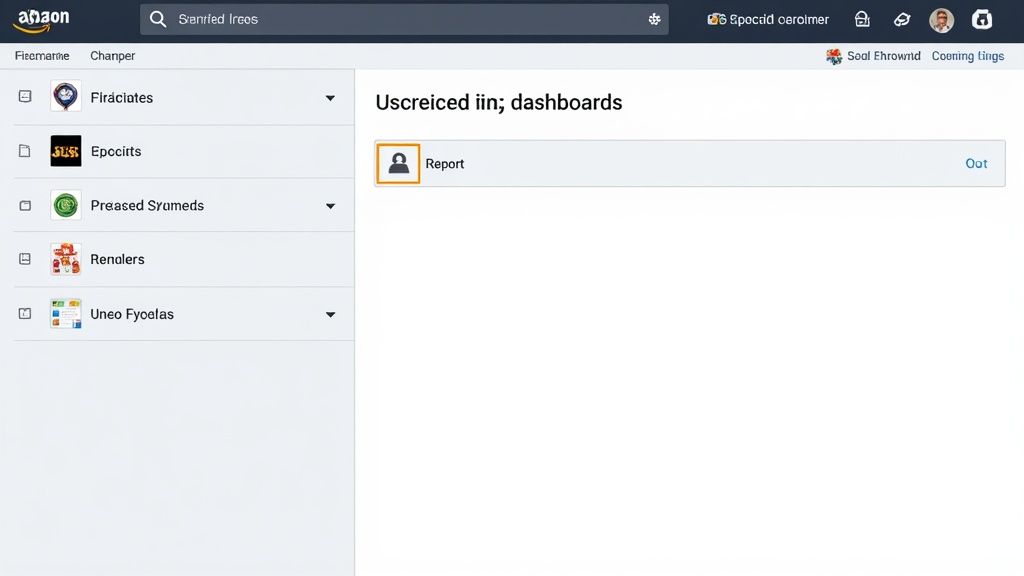
It’s a simple, browser-based tool that lets you grab an affiliate link for any product on the fly. You just land on a product page, click a button, and boom—you have a link ready to go, complete with your unique tracking ID.
How to Use SiteStripe for Different Kinds of Links
Using SiteStripe is pretty intuitive. Once you've found a product you want to recommend, just look at the toolbar at the top of your screen. You’ll have a few choices for what kind of link to create.
- Text Links: Click the "Text" button, and you'll get a clean, shortened
amzn.tolink. This is perfect for weaving directly into your blog posts or dropping into social media captions. You can also select the right Store ID and Tracking ID to keep everything organized. - Image Links: Need something more visual? The "Image" option gives you a snippet of HTML code. When you paste this onto your site, it displays the product’s picture, which also happens to be a clickable affiliate link. You can even pick from small, medium, or large image sizes.
- Text+Image Links: For a bit more punch, the "Text+Image" option creates a nice little product box. It shows the image, title, price, and a "Buy Now" button. It’s like a mini-ad you can pop right into your content.
This one-at-a-time approach is fine if you're just writing a quick review of a single product. But the moment you try to do anything bigger, you'll start to feel the friction.
The Problem With Manual Link Creation
Let's get real. Imagine you're putting together a holiday gift guide with 25 different products.
Using SiteStripe means you have to visit all 25 of those product pages, one by one. On each page, you’ll click to generate the link, copy it, and then switch back to your article to paste it in. It’s a slow, repetitive grind that's practically begging for mistakes, like grabbing the wrong URL or forgetting a tracking ID.
This is the grunt work of affiliate marketing. It gets the job done, but it’s far from efficient. For creators who value their time, every minute spent on tedious tasks is a minute you could have spent creating something awesome.
This inefficiency is exactly why so many creators eventually look for a better way. Tools like the Coral Amazon Associates app were built to take this busywork off your plate. They can handle things like creating links in bulk with a single click and even offer more advanced tracking. While SiteStripe is a great starting point, automation is what really lets you scale your efforts.
Step 3: Automate Link Creation with Coral
Sure, creating links one by one with Amazon’s SiteStripe works. But it feels a bit like carrying groceries in from the car one item at a time. It gets the job done, but it’s painfully slow and clunky. For any content creator who's serious about scaling their affiliate income, there’s a much smarter way to work.
Think of an automated tool like Coral as your grocery cart—it lets you bring everything in one single, efficient trip. This is where you shift from tedious manual labor to a system that actually works for you, giving you back hours of your time.
Manual vs. Automated Link Generation: Coral vs. Amazon SiteStripe
The real difference between the old manual way and a modern automated approach boils down to time, accuracy, and scale. SiteStripe is fine if you need a single link right now, but it quickly becomes a major bottleneck when you're working on bigger pieces of content.
Let's break down exactly how these two methods stack up.
| Feature | Amazon SiteStripe (Manual) | Coral (Automated) |
|---|---|---|
| Link Creation | One at a time, for each product page you visit. | Bulk creation of multiple links with one click. |
| Time Investment | High. You have to visit every single product page. | Low. You can generate dozens of links in seconds. |
| Error Potential | High. It’s easy to copy the wrong URL or forget a tracking ID. | Low. Automates tracking IDs to prevent mistakes. |
| Workflow | Repetitive. Find product, click, copy, paste. Repeat. | Efficient. Paste a list of products, get all your links at once. |
At the end of the day, the manual process is just asking for human error. A forgotten tracking ID or a broken link is a lost commission, plain and simple. Automation tools are built from the ground up to prevent these kinds of costly mistakes.
The Power of Bulk Link Creation and Tracking
This is where a tool like Coral really shines. The ability to generate links in bulk completely changes the game. Forget that endless cycle of finding a product, clicking to generate a link, and pasting it into your draft. With Coral's one-click generation, you can handle an entire list of products all at once.
This is a lifesaver for content like:
- Gift Guides: Instantly create links for all 20+ products you’re recommending.
- Comparison Articles: Get affiliate links for every single item in your "best of" list.
- Product Roundups: Put together all the links for a seasonal article without the mind-numbing grind.
By automating the most repetitive part of affiliate marketing, you free up your time to focus on what actually matters: creating fantastic content that your audience will love and trust.
Take a look at this quick comparison of how different types of Amazon affiliate links tend to perform.
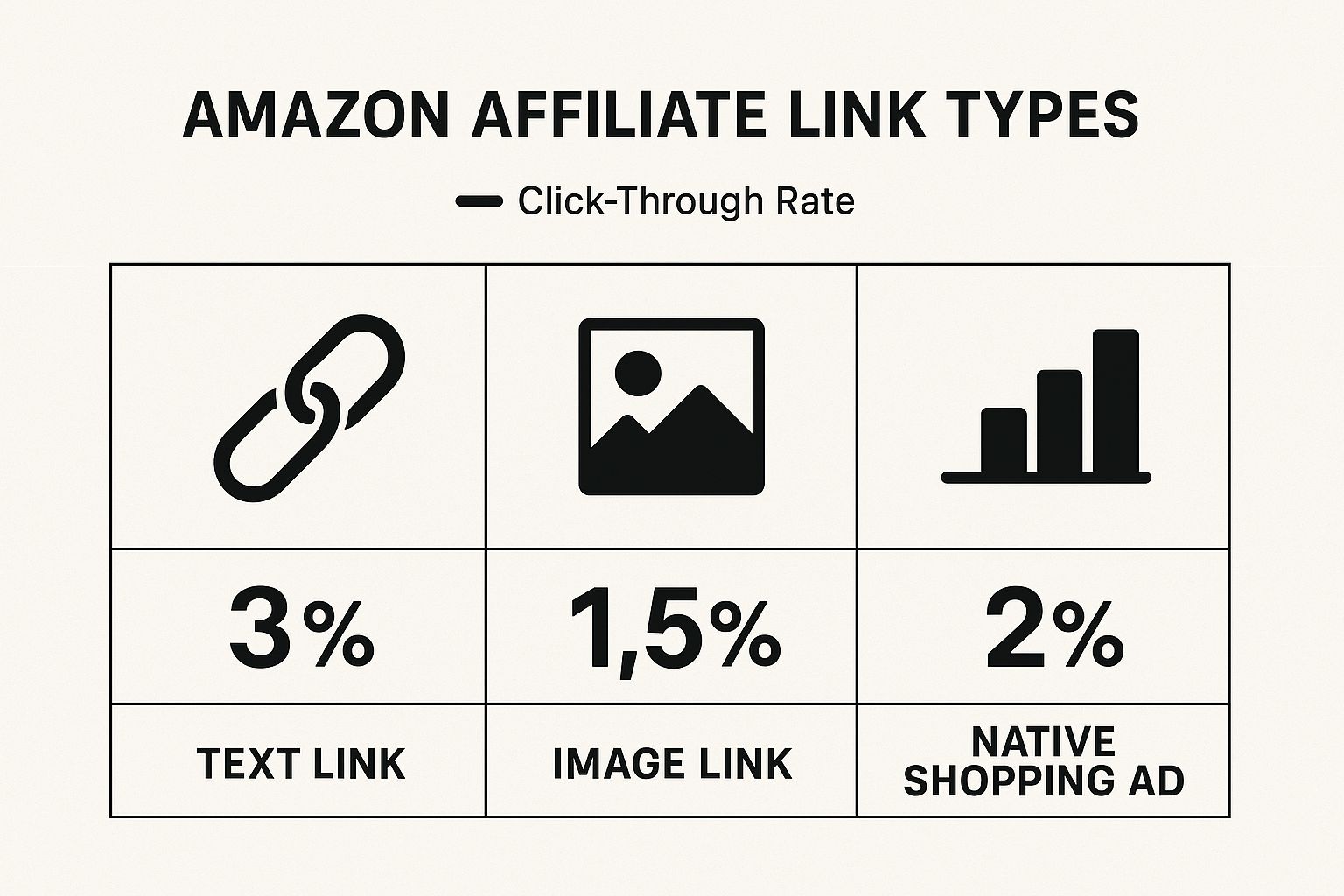
As you can see, simple text links often have the highest click-through rates. This makes having a fast, reliable way to generate them even more important. Platforms like Coral also let you build more advanced URLs. To learn more, check out our guide on how to create a custom Amazon deep link. These specialized links can send your readers to specific search results or custom pages, which can be a great way to boost conversions.
Managing Your Links Like a Pro
Creating Amazon affiliate links is just the first step. The real money is made when you start managing those links smartly, figuring out what's working, and making decisions based on data instead of just gut feelings. This is where you level up from just making links to building a real affiliate strategy.
Manual tools like SiteStripe are fine for grabbing a link here and there, but they don't give you much insight. You get a link, and that's about it. You're left digging through Amazon's clunky reports to see how it’s performing. An automated tool like Coral, on the other hand, puts all that crucial data right in front of you on a clean, powerful dashboard. You can see every click and sale in one place.
The Power of Bulk Link Creation
One of the biggest game-changers with an automated system is bulk link creation. Let's say you're putting together an epic gift guide with 30 different products. Doing this manually is a nightmare. You’d have to visit 30 different Amazon pages, click the SiteStripe bar 30 times, and then copy and paste each link one by one. It’s a tedious, mind-numbing grind.
With Coral, you just paste a list of all 30 product URLs and generate every single affiliate link in one shot. This isn't just about saving a few minutes; it's about removing the friction that stops you from creating bigger, better, and more profitable content.
The real magic of automation is that it gets the grunt work out of your way. This frees you up to focus on creating amazing content instead of getting stuck in repetitive, soul-crushing tasks.
This kind of efficiency is what separates casual bloggers from serious earners. It means you can produce more content, feature more products, and create more opportunities to make a commission.
Advanced Tracking and Error Prevention
Beyond sheer speed, a pro-level tool gives you tracking and management features you simply can't get with manual methods. With Coral, a quick glance tells you which links are your top performers. This is gold. It helps you understand what your audience actually wants to buy.
This data lets you double down on your winners. For instance, if you see that a specific brand is converting like crazy, you know it's time to create more content around those products.
Automation also acts as a crucial safety net. It's shockingly easy to make a mistake when you're manually creating dozens of links. A single typo in your tracking ID or a broken URL means you get zero commission from that click. It’s a silent killer of your earnings.
Coral's error prevention features automatically insert your correct tracking ID every single time, wiping out these costly mistakes. For those of you running multiple sites, you might also find that using centralized WordPress management tools can help keep everything organized. By shifting to a smarter system, you ensure that every link you publish is a valid chance to earn.
Common Questions About Amazon Affiliate Links
https://www.youtube.com/embed/6ieUXxThzQQ
Diving into the Amazon Associates program can feel a little overwhelming at first. Once you figure out how to get an Amazon affiliate link, a bunch of other questions usually pop up. It's totally normal.
Let's walk through some of the most common things creators ask. Getting these details straight will help you move forward with confidence and sidestep those early mistakes.
How Long Does Approval Take?
Amazon is usually pretty quick, reviewing most applications within 24-48 hours.
But here’s the catch: your account isn't fully in the clear until you make at least three qualifying sales within your first 180 days. To give yourself the best shot at a speedy approval, make sure your website or social media profile looks lived-in—it should have active, original content before you apply.
Can I Link to Any Product?
Yep! As an approved Associate, you can create an affiliate link for almost anything sold on Amazon.
Just find the product you want to share with your audience and use Amazon's SiteStripe tool to create your link. If you're looking for an even faster way, an integrated tool like Coral can generate your unique, trackable link instantly. This freedom is what makes the program so great—you can promote products you genuinely use and love.
What Makes an Affiliate Link Different?
The magic is all in the unique tracking code. Every Amazon affiliate link includes your personal Store ID, which works like a digital fingerprint, telling Amazon that you sent the customer their way.
A standard link to an Amazon product is just that—a plain link. It has no tracking information. If you use one of those, you won't get credit for any sales you drive, which means no commission for you.
This is why it's so critical to make sure you're always using your proper affiliate link. If you want to get into the nitty-gritty, our guide on how Amazon affiliate marketing works explains the whole system from top to bottom.
How Do I Know My Links Are Working?
The most straightforward method is to check your Amazon Associates dashboard. It has reports showing you clicks, orders, and your earnings, which is the foundation for tracking affiliate commissions.
For a much clearer and more powerful view, a tool like Coral is a game-changer. It gives you real-time performance data and, more importantly, stops mistakes before they can happen. By handling link creation automatically, it makes sure every single link is formatted correctly. You'll never have to second-guess whether you're losing out on commissions because of a simple typo or broken link.
Ready to stop wasting time and start earning more from your content? With Coral, you can generate all your Amazon affiliate links in a single click, track performance with a clear dashboard, and ensure every link is perfectly formatted to maximize your commissions.
Sign up for Coral today and see how easy affiliate marketing can be.