11 Best Commission Tracking Software Free Options for 2025
Category: Commission tracking software free
Manually calculating sales commissions is a recipe for errors, disputes, and wasted time. As your business grows, especially for Amazon sellers and DTC brands managing affiliate or influencer programs, spreadsheets quickly become unmanageable. This administrative burden puts a strain on your team's motivation and compromises your financial accuracy. The right software streamlines this entire process, ensuring fairness, transparency, and timely payments that keep your top performers engaged.
But what if you're not ready for a hefty subscription? This guide is your definitive resource for the best commission tracking software free versions available today. We cut through the noise to give you a detailed breakdown of tools that can automate your entire workflow without costing a dime. You will find powerful platforms with generous free tiers, feature-rich spreadsheet templates, and specialized apps designed for specific ecosystems like Amazon and HubSpot. Each option in this list includes direct links, screenshots, and an honest assessment of its features and limitations.
Whether you're a small business managing your first sales reps, an Amazon FBA seller scaling an affiliate network, or an influencer monetizing your content, this list will help you find a practical, cost-effective solution. Our goal is to help you stop wrestling with manual calculations and start focusing on what truly matters: driving growth and rewarding your partners accurately. Let's find the perfect free tool to automate your payouts.
1. Coral
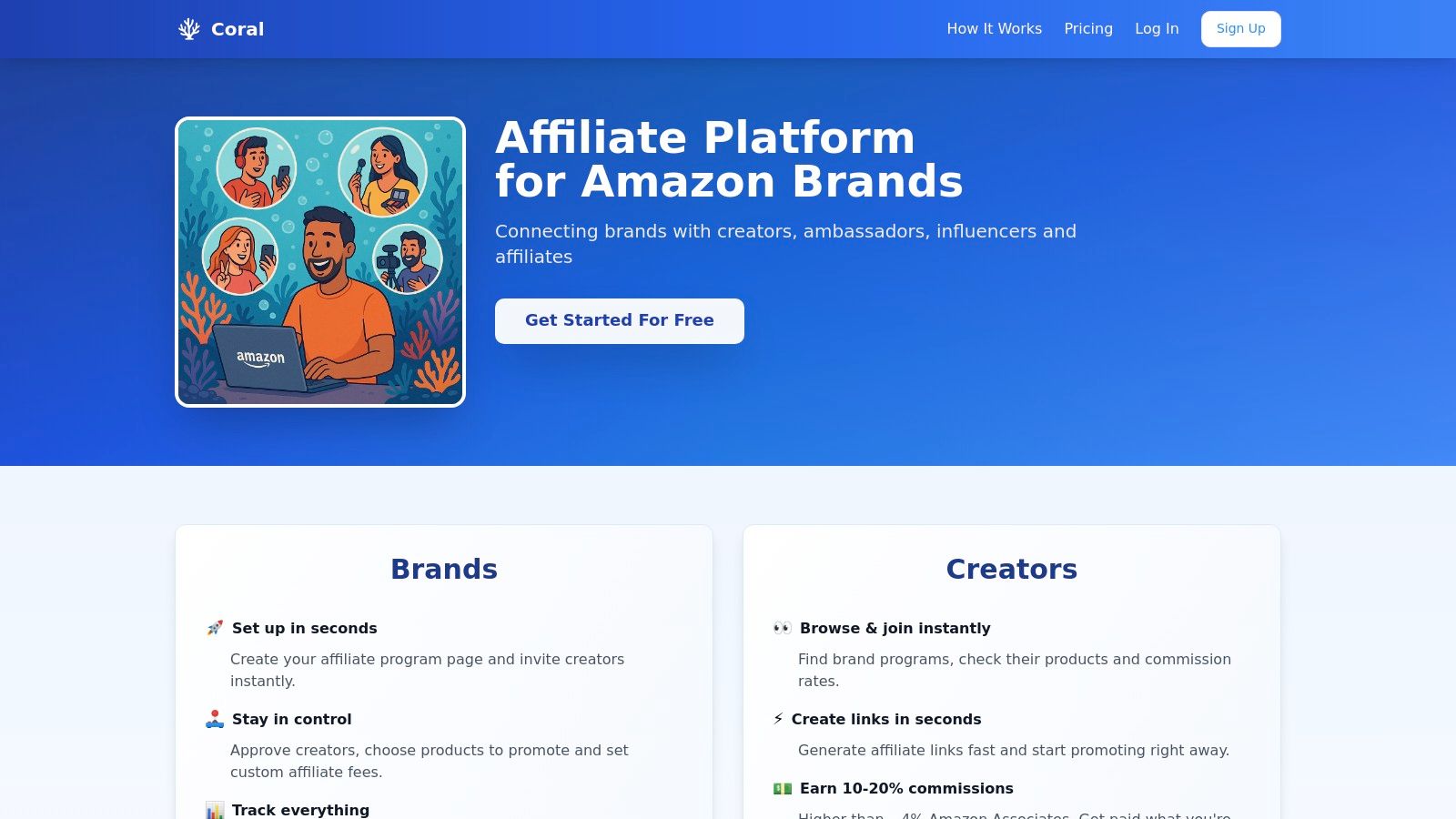
Coral emerges as a powerful and highly specialized solution for Amazon sellers, offering a robust platform to build, manage, and scale an in-house affiliate program. It distinguishes itself by integrating directly with Amazon Attribution, providing unparalleled accuracy in tracking sales and calculating commissions generated by influencers. This makes it an exceptional piece of commission tracking software free for brands enrolled in the Amazon Brand Registry.
The platform empowers sellers to take complete ownership of their affiliate marketing. Users can create custom-branded landing pages for their programs, selectively approve creators, and define unique commission rates for each affiliate. This level of control is a significant advantage over generic affiliate networks.
Why Coral is a Top Choice
Coral's key strength lies in its Amazon-centric design. While other platforms offer broad affiliate tracking, Coral’s native connection to Amazon Attribution solves the core problem of precise sales verification for Amazon sellers. This eliminates guesswork and ensures commissions are paid only on confirmed, attributable orders.
For affiliates, the platform is equally beneficial. They can generate their unique Amazon Attribution links directly within the Coral dashboard, monitor their performance transparently, and earn commissions that are often substantially higher (10-20%) than the standard Amazon Associates program. This fosters stronger, more profitable long-term partnerships.
At a Glance: Features, Pros & Cons
Key Features:
- Direct Amazon Attribution Integration: Guarantees precise tracking of affiliate-driven sales on Amazon.
- Custom Program Management: Build branded landing pages, set personalized commission rates, and manage affiliate approvals.
- Comprehensive Analytics: An intuitive dashboard provides deep insights into campaign performance, top creators, and sales data.
- Streamlined Affiliate Experience: Creators have a dedicated portal to generate links, track earnings, and view performance.
| Pros | Cons |
|---|---|
| Accurate Amazon Tracking: The Amazon Attribution link is a game-changer for commission accuracy. | No Affiliate Discovery: Lacks a built-in marketplace to find new influencers (feature planned). |
| Full Brand Control: Total command over affiliate approvals, commission structures, and program branding. | Beta Phase: As a platform in beta, users may encounter occasional updates or changes. |
| Higher Affiliate Payouts: Supports commissions of 10-20%, attracting high-quality creators. | Niche Focus: Specifically designed for Amazon sellers in Brand Registry, not for other platforms. |
Pricing Structure
Coral offers a highly accessible entry point, making it a standout choice for businesses of all sizes.
- Free Starter Plan: Includes all core features with a 5% fee on affiliate-generated sales. This is ideal for new sellers testing the waters of affiliate marketing.
- Growth Plan: Priced at $97/month with zero sales fees, unlimited affiliates, and custom domain support, perfect for scaling brands.
Website: https://coral.ax
2. QuotaPath
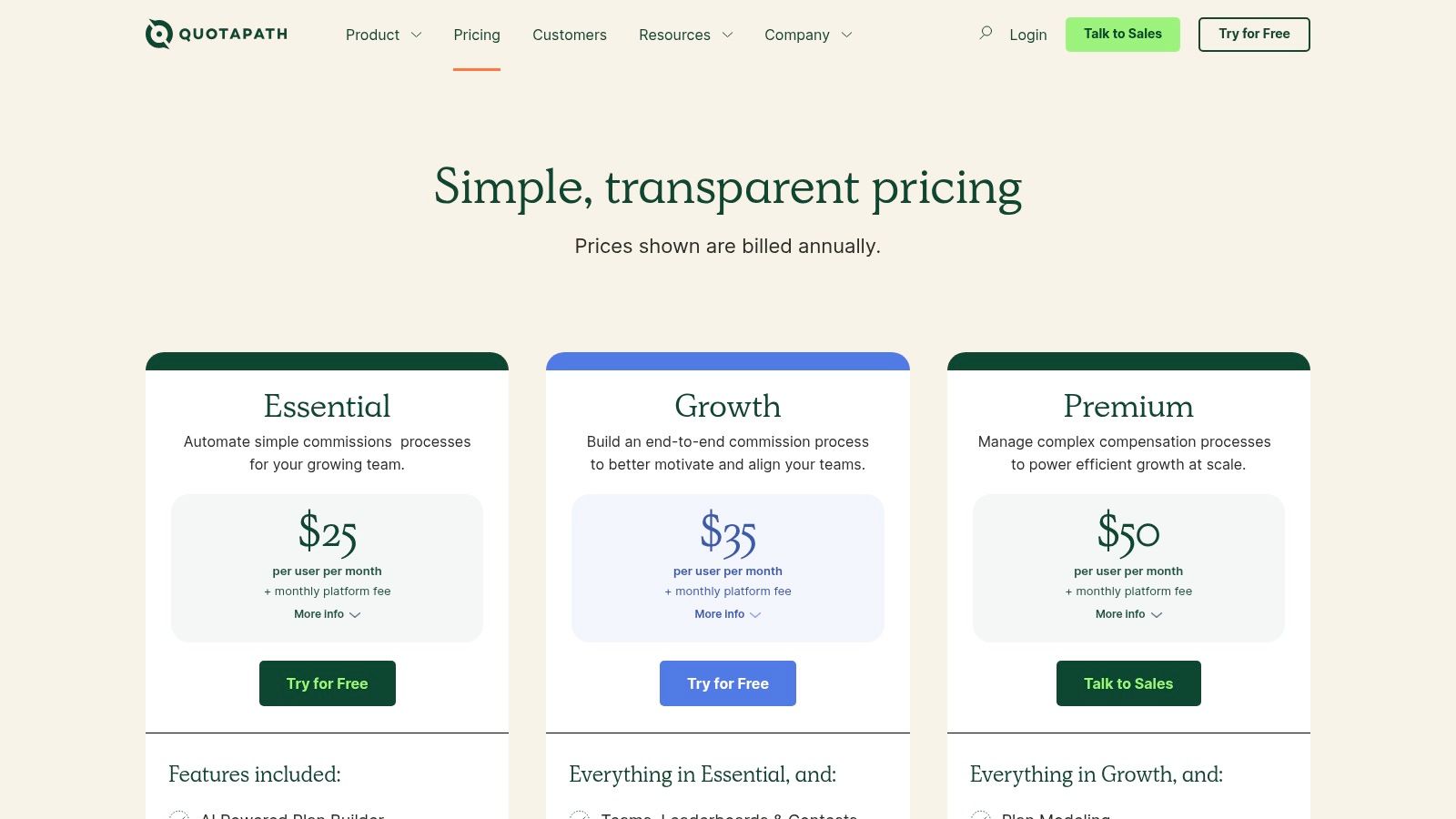
QuotaPath is a robust sales compensation platform designed to automate and clarify the commission tracking process from start to finish. It stands out by providing an end-to-end solution that handles everything from building complex commission plans with an AI-powered assistant to managing the final payout approvals. This makes it an excellent choice for scaling sales teams that need more than just basic tracking.
While QuotaPath is a powerful tool for sales teams, those focused specifically on external partnerships might find that dedicated affiliate management software offers more tailored features for that use case.
Key Features & Use Case
QuotaPath excels at providing real-time visibility into earnings for sales reps, which can significantly boost motivation and reduce disputes. Its forecasting tools are particularly useful for finance and leadership teams who need accurate projections for financial planning. The platform's integrations with CRMs like Salesforce and HubSpot ensure that deal data flows seamlessly, eliminating manual entry and potential errors.
- Best For: Growing SMB and mid-market sales teams needing a transparent, automated system to manage complex, multi-tiered commission structures.
- AI-Powered Plan Builder: Simplifies the creation of customized commission plans.
- CRM Integration: Syncs directly with Salesforce and HubSpot for accurate, real-time data.
- Dispute Resolution: A built-in deal flagging and resolution workflow helps manage discrepancies efficiently.
Pricing and Limitations
QuotaPath's primary limitation for those seeking commission tracking software free of charge is that it does not offer a perpetual free plan. It provides a 30-day free trial to test its full capabilities, but continued use requires a paid subscription.
| Pros | Cons |
|---|---|
| Strong CRM integrations | No permanent free version, only a 30-day trial |
| Excellent forecasting and audit tools | Annual billing may be a large upfront cost for some |
| Transparent and clear for sales reps | Platform fees can add to the total expense |
For teams that outgrow the trial and can justify the investment, QuotaPath offers a powerful, scalable solution to automate complex compensation.
Website: https://www.quotapath.com/pricing/
3. SalesCookie
SalesCookie is a cloud-based sales commission platform that streamlines compensation management with a strong emphasis on accuracy, speed, and auditability. It stands out by offering a unique, year-long free program for qualifying US-based tech startups, making it an accessible entry point for early-stage companies. The software is designed for fast setup, allowing businesses to get their commission plans running quickly without extensive technical overhead.
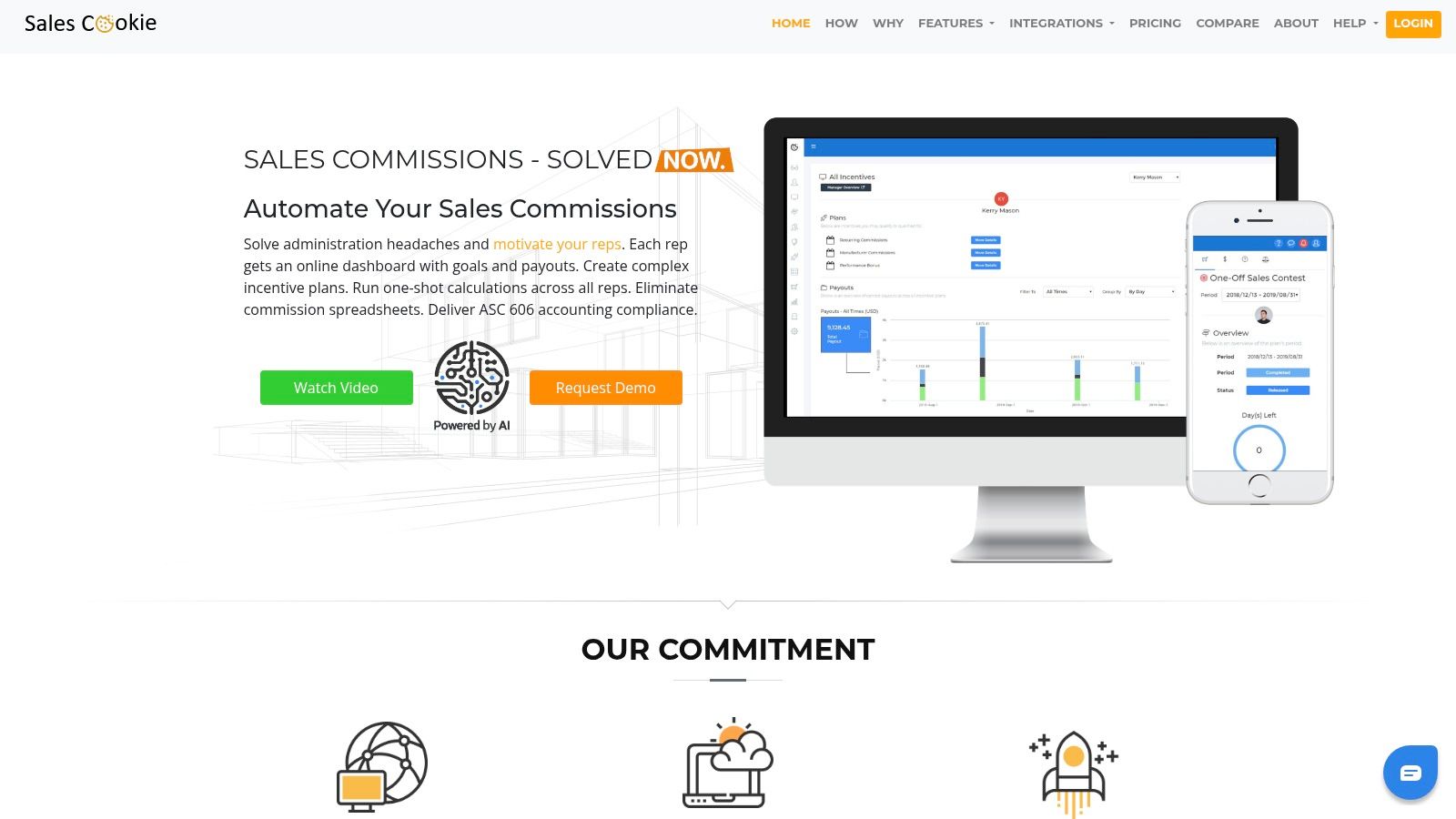
While SalesCookie automates internal sales compensation, its visual plan designer is a useful tool for visualizing how different sales incentives work. For more ideas on structuring your incentives, you can explore various commission structure examples to find what fits your team best.
Key Features & Use Case
SalesCookie excels in providing detailed calculation logs and audit trails, which is crucial for financial compliance and resolving disputes. Its visual plan designer allows managers to build and model commission plans without writing code, and the platform supports complex needs like team and territory management. The focus on ASC-606 reporting makes it a solid choice for businesses needing to adhere to specific revenue recognition standards.
- Best For: US-based tech startups with under $500K in revenue that qualify for its free program, or SMBs needing robust audit trails and reporting.
- Visual Plan Designer: Enables non-technical users to create and manage commission plans.
- Detailed Calculation Logs: Provides a clear, auditable trail for every calculation, enhancing transparency.
- Adjustments and Overrides: Offers flexibility to manually adjust commissions for one-off scenarios or corrections.
Pricing and Limitations
The main appeal for those searching for commission tracking software free of charge is SalesCookie's "Startup Free" program. However, eligibility is strict, limited to US tech startups with under $500K in revenue. For other businesses, the platform offers a free trial, after which a paid subscription is required. This makes the free access highly conditional.
| Pros | Cons |
|---|---|
| Fast and straightforward setup | Strict eligibility limits for its free-for-startups program |
| Deep audit trails for compliance | Becomes a paid service after the trial or outside the program |
| Supportive onboarding materials | May be overly complex for very small teams with simple needs |
For qualifying startups, SalesCookie presents a fantastic opportunity to implement a professional-grade commission system at no cost for a full year.
Website: https://salescookie.com/
4. GoAffPro
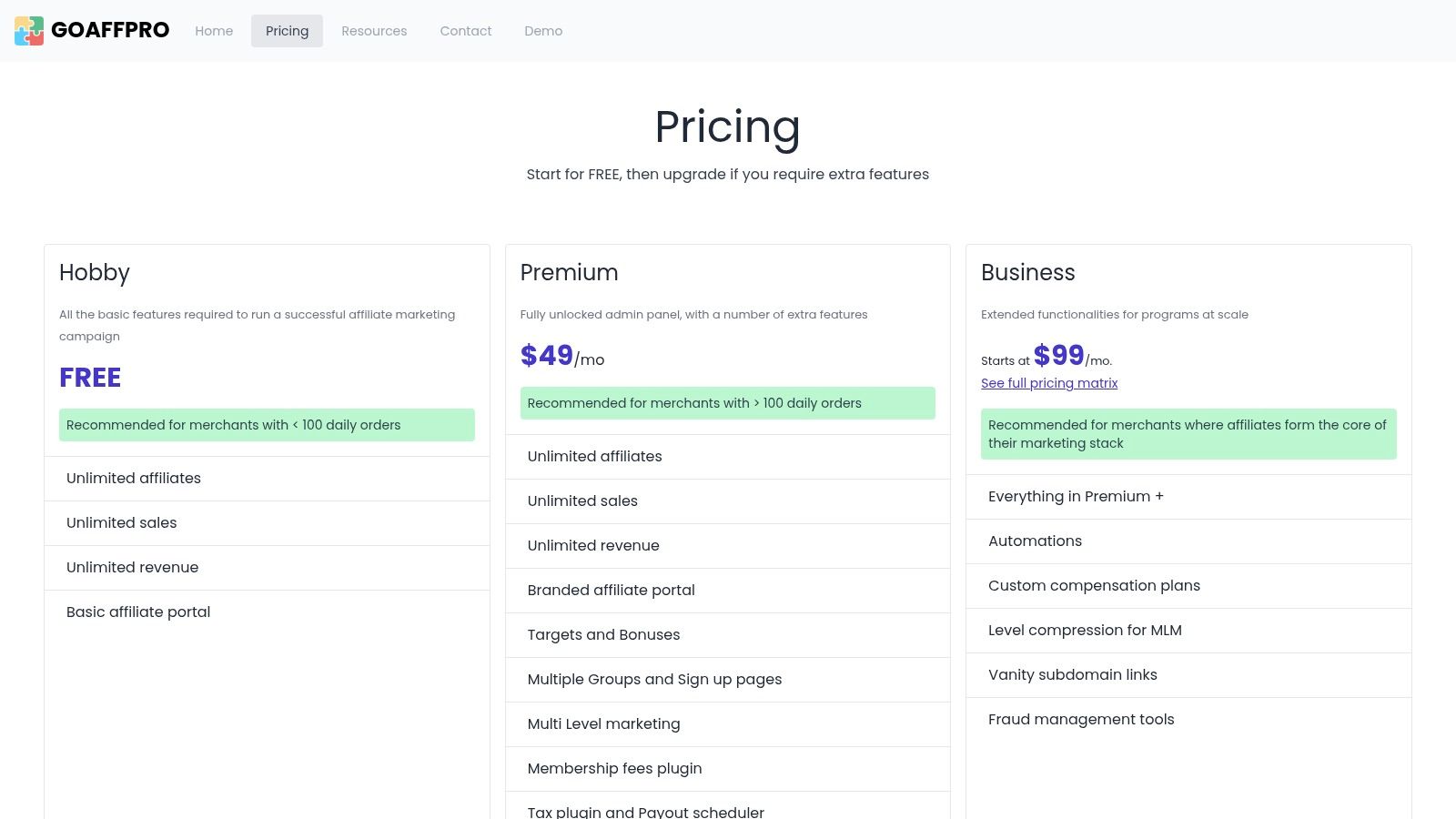
GoAffPro is a dedicated affiliate and partner commission tracking platform specifically designed for e-commerce businesses. It stands out by offering a genuinely free plan that supports unlimited affiliates and unlimited sales, making it a powerful starting point for merchants looking to launch or manage a partner program without initial investment. This focus on affiliate marketing makes it an ideal choice for online stores built on platforms like Shopify or WooCommerce.
While GoAffPro excels at affiliate management for e-commerce, companies needing to track complex internal sales team commissions may require a more specialized sales compensation tool.
Key Features & Use Case
GoAffPro provides merchants with a complete toolkit to recruit affiliates, track their performance through links and coupon codes, and manage payouts. The platform allows for granular control, letting you set different commission rates for specific products or individual affiliates. Its simple integration with major e-commerce platforms means you can get a program running quickly with minimal technical overhead, automating a significant part of your partner marketing efforts.
- Best For: E-commerce stores, particularly on Shopify and WooCommerce, that need a scalable and free solution to build and manage an external affiliate marketing program.
- Unlimited Affiliates: The free plan supports an unlimited number of affiliates and tracks unlimited revenue.
- Flexible Commission Rules: Set commissions at the product level or create unique rules for high-performing partners.
- Payout Management: Streamlines the process of paying affiliates, with integrations like PayPal Payouts.
Pricing and Limitations
The most significant advantage of GoAffPro is its true free Hobby plan. Unlike many competitors that only offer timed trials, this plan is perpetually free for core affiliate tracking features. The primary limitation is that advanced functionality, such as custom branding for the affiliate portal, multi-level marketing (MLM) structures, and premium analytics, are locked behind its paid tiers.
| Pros | Cons |
|---|---|
| A genuine free plan with unlimited affiliates | Advanced features require upgrading to a paid plan |
| Quick and easy e-commerce platform integration | Free plan includes GoAffPro branding on the affiliate portal |
| Supports both link and coupon code tracking | The user interface can be less intuitive than some alternatives |
For online businesses prioritizing an external affiliate program, GoAffPro offers one of the most generous free platforms available, providing a solid foundation to build upon as your partner network grows.
Website: https://goaffpro.com/pricing
5. UpPromote
UpPromote is a highly-regarded, all-in-one platform for managing affiliate, influencer, and referral programs, particularly for e-commerce stores. It stands out due to its deep integration with platforms like Shopify, making setup incredibly simple. Its free plan provides a robust starting point for businesses venturing into affiliate marketing without an initial investment.
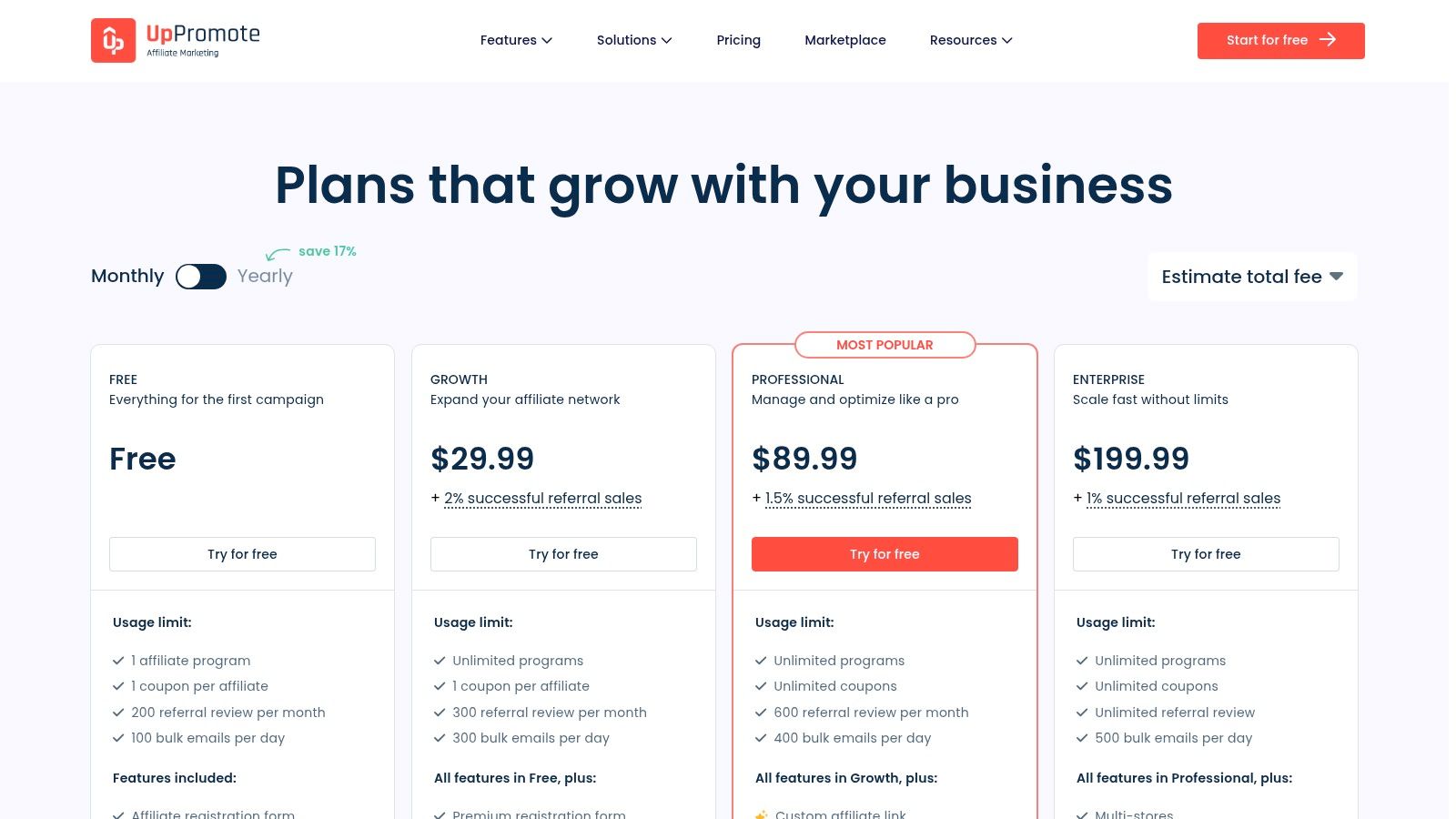
While UpPromote excels in the e-commerce affiliate space, businesses needing to track commissions for internal sales teams might find that a dedicated sales compensation platform offers more specialized features.
Key Features & Use Case
UpPromote empowers e-commerce brands to launch and scale their affiliate programs with minimal friction. Its core strength lies in its user-friendly interface and automation features, such as link and coupon tracking, which simplifies commission attribution. The platform also includes a marketplace to help you discover and recruit new affiliates, expanding your program's reach.
- Best For: E-commerce businesses, especially on Shopify, that need an easy-to-use and scalable solution for launching and managing affiliate and influencer marketing programs.
- Link and Coupon Tracking: Offers flexible ways to track referrals, accommodating various promotional strategies.
- Fraud Detection: An essential tool to protect your program from invalid clicks and fraudulent commissions.
- Marketplace Listings: Provides a platform to connect with potential affiliates and influencers actively seeking partnerships.
Pricing and Limitations
UpPromote's biggest draw for those seeking commission tracking software free of charge is its permanent Free Plan. This plan is fully functional for new programs, though it does have limits, such as a cap on monthly referral order approvals. As you scale, you may need to upgrade to a paid plan, which can include performance-based fees.
| Pros | Cons |
|---|---|
| Always-free starter plan | Referral approvals are capped on lower tiers |
| Excellent and easy Shopify integration | Performance fees apply on the paid plans |
| 24/7 customer support is available | PayPal auto-payouts are reserved for higher tiers |
For new e-commerce brands, the free plan offers an unparalleled, risk-free entry into affiliate marketing commission tracking.
Website: https://uppromote.com/pricing/
6. HubSpot App Marketplace (QuotaPath listing)
The HubSpot App Marketplace provides a direct and seamless way for HubSpot CRM users to integrate QuotaPath’s commission tracking capabilities. This official listing allows you to install and manage the QuotaPath app natively within your HubSpot environment, enabling real-time commission visibility and forecasting during QuotaPath’s free trial period. It stands out by embedding commission data directly where your sales team already works, reducing the need to switch between platforms.
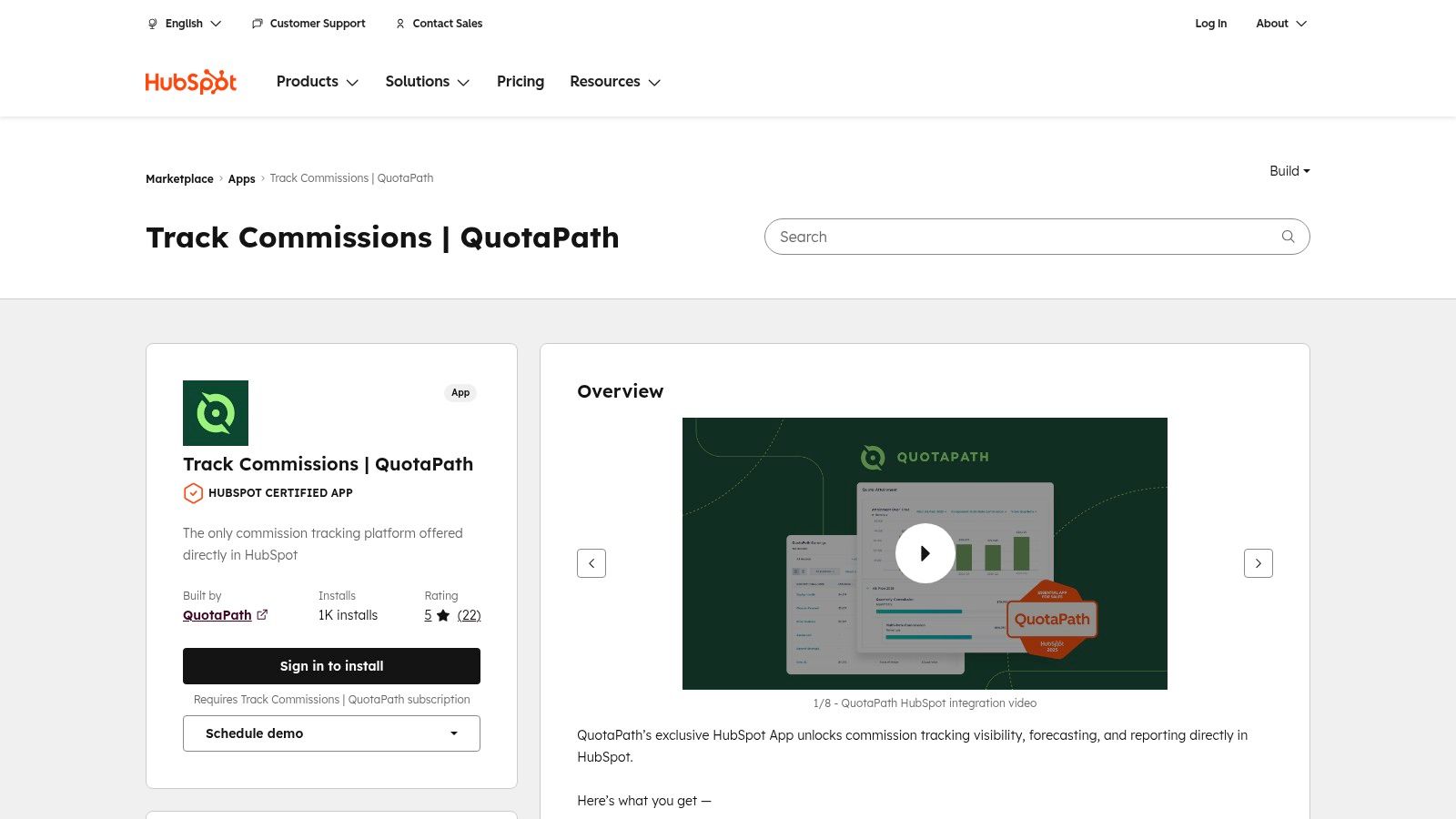
While the integration is powerful, it's important to remember that it functions as an extension of QuotaPath. Businesses looking for a tool that lives entirely within HubSpot without a separate subscription may need to explore simpler, native solutions.
Key Features & Use Case
The primary benefit of using the QuotaPath app from the HubSpot Marketplace is the deep, real-time synchronization between your deal pipeline and commission calculations. Step-by-step setup guides make installation straightforward, and the app adds a native "Earnings" object to HubSpot, allowing you to build custom reports and dashboards. This gives sales reps and managers instant visibility into potential earnings right on the deal record.
- Best For: HubSpot-centric sales teams who want to test a powerful commission automation tool without leaving their CRM ecosystem during the trial phase.
- Real-Time Deal Synchronization: Automatically pulls deal data from HubSpot to calculate commissions.
- Native HubSpot Reporting: Use the custom "Earnings" object to create commission-based reports and dashboards inside HubSpot.
- In-CRM Approval Workflows: Manage commission approvals and disputes directly within the familiar HubSpot interface.
Pricing and Limitations
This marketplace listing is not a standalone commission tracking software free solution; it is the integration point for QuotaPath, which is a paid tool. You can use this app to connect your HubSpot account during QuotaPath's 30-day free trial. After the trial, a paid QuotaPath subscription is required to maintain functionality, and a HubSpot account is a prerequisite for using the app at all.
| Pros | Cons |
|---|---|
| Deep, seamless integration with HubSpot | Requires a paid QuotaPath subscription after trial |
| Quick to set up and start using | Only useful for companies already using HubSpot CRM |
| Visible user ratings and install counts | Functionality is tied to QuotaPath's platform |
For teams heavily invested in the HubSpot ecosystem, this app provides the best way to experience a full-featured commission platform without disrupting existing workflows.
Website: https://ecosystem.hubspot.com/marketplace/apps/quotapath
7. Coefficient
Coefficient offers a unique, spreadsheet-based approach to commission management with its free Salesforce commission tracking template for Google Sheets and Excel. It acts as a cost-free bridge between manual tracking and full-fledged software by allowing users to connect spreadsheets directly to live data from platforms like Salesforce for automated updates. This makes it an ideal starting point for businesses not yet ready to commit to a dedicated commission platform.
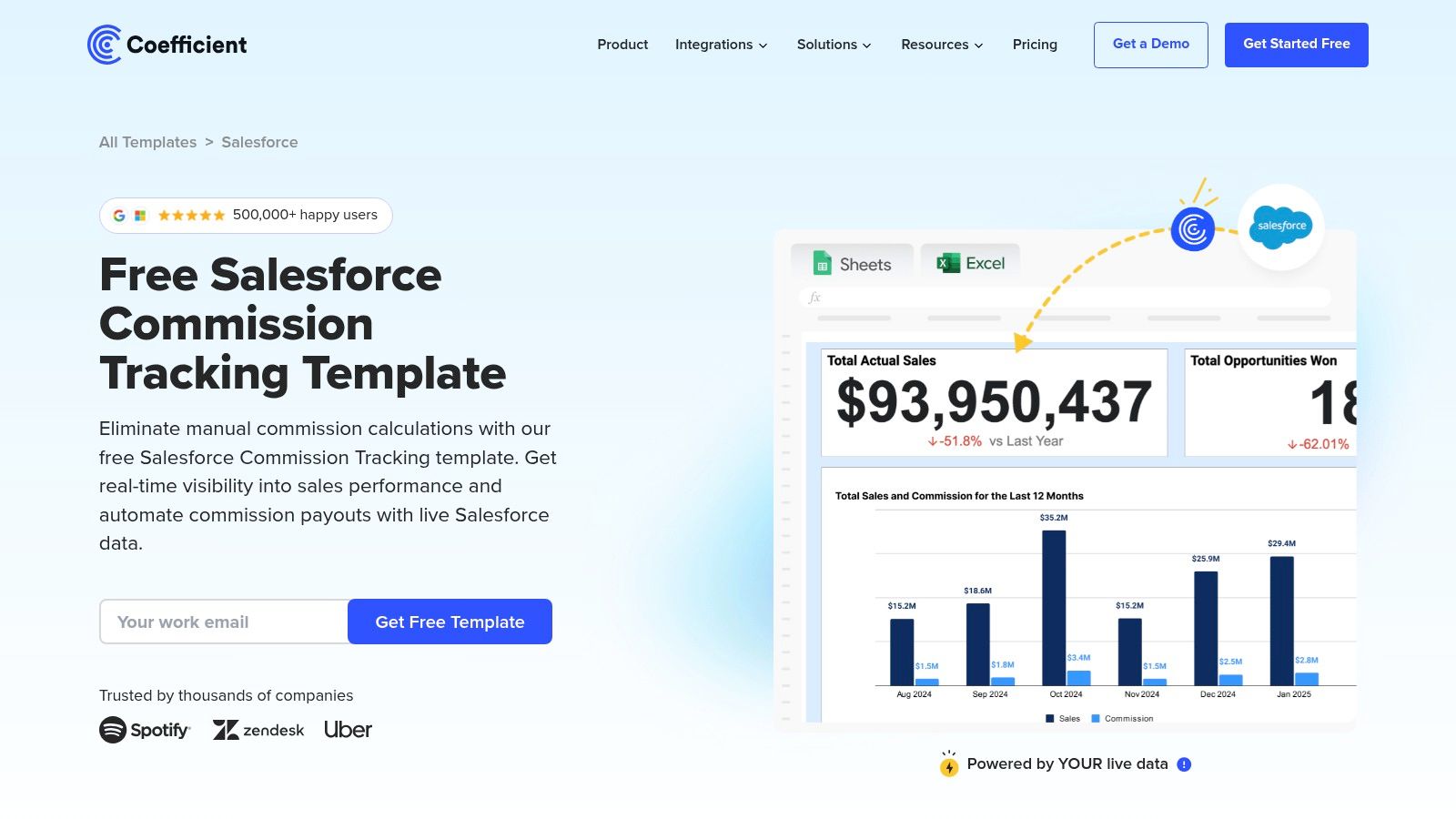
While Coefficient is excellent for internal sales data, businesses managing external partnerships, especially on marketplaces, might need different tools. For instance, those using Amazon’s programs may need to learn more about how to track Amazon sales through specialized platforms designed for that ecosystem.
Key Features & Use Case
Coefficient’s main strength is leveraging the familiarity of spreadsheets while eliminating manual data entry. The live data connectors for Google Sheets and Excel pull in real-time information, and the prebuilt dashboard provides a clear, step-by-step workflow to calculate commissions. This is perfect for small teams or solo founders who want to automate their process without learning a new, complex software interface.
- Best For: Startups and small businesses using Salesforce that want an automated, no-cost commission tracking solution within a familiar spreadsheet environment.
- Live Data Connectors: Syncs Google Sheets and Excel with Salesforce to ensure commission data is always up-to-date.
- Prebuilt Commission Dashboard: Offers a ready-to-use template that visualizes key metrics and simplifies calculations.
- Step-by-Step Workflow: Guides users through the process of setting up and running their commission tracking system.
Pricing and Limitations
The primary appeal of Coefficient is that its commission tracking template is completely free to use. The main limitation is its reliance on spreadsheet functionality; complex rules, multi-tiered structures, or advanced approval workflows require custom formulas or upgrading to a paid app. Users must also provide an email address to receive the template copy.
| Pros | Cons |
|---|---|
| Completely free to use | Requires custom formulas for advanced rules or workflows |
| Fast and easy deployment | Email is required to receive the template |
| No vendor lock-in; stays in spreadsheets | Lacks the robust dispute resolution features of dedicated tools |
For those seeking powerful, commission tracking software free of complex setups, Coefficient’s template provides a practical and immediate solution.
Website: https://coefficient.io/dashboard-examples/salesforce-commission-tracking
8. Vena Solutions
Vena Solutions offers a unique approach for businesses seeking free commission tracking tools by providing a highly polished and comprehensive Excel template. Instead of a software platform, Vena gives small teams a structured spreadsheet that includes sophisticated features like payout calculations, quota tracking, and even an approval workflow tab. This solution is backed by the credibility of an enterprise vendor known for its financial planning and analysis (FP&A) software.
This template serves as an excellent entry point for organizations that are not yet ready to invest in a full-fledged software solution but have outgrown basic, self-made spreadsheets. It provides a taste of structured commission management without the commitment.
Key Features & Use Case
The Vena template is far more than a simple calculator; it’s a mini-system within Excel. It comes with an attainment dashboard that visualizes performance against quotas, making it easier for managers to review progress. The inclusion of a dedicated tab for payout review and approvals helps formalize a process that is often managed informally through email or chat, adding a layer of control and accountability.
- Best For: Small teams or startups that primarily operate within the Microsoft ecosystem and need a structured, yet manual, system for commission tracking without any software costs.
- Detailed Instructions: The template is well-documented with step-by-step guidance, making it easy to implement and use correctly.
- Approval Workflow: A dedicated tab helps streamline the review and sign-off process for commission payouts.
- Attainment Dashboard: Provides a clear visual overview of sales performance against set targets.
Pricing and Limitations
The primary strength of Vena’s offering is that it is completely free commission tracking software in the form of a downloadable template, requiring no subscription. The main limitation is its manual nature; it relies entirely on data entry and does not automate any part of the process. It is also an Excel-only resource, so it won’t work for teams that rely on Google Sheets.
| Pros | Cons |
|---|---|
| Completely free with no subscription | Lacks any automation; all processes are manual |
| Well-documented and easy to follow | Excel-only; not compatible with Google Sheets |
| Credibility from an enterprise vendor | Does not scale for growing or complex sales teams |
For those starting out, this template is a powerful and reliable tool that establishes good habits before migrating to a more automated system.
Website: https://www.venasolutions.com/templates/reporting/commission-tracking
9. Grist
Grist presents a unique approach to commission tracking by offering a powerful, interactive sales commission template built on its hybrid spreadsheet-database platform. It bridges the gap between basic, error-prone spreadsheets and expensive, dedicated software. This makes it an ideal choice for teams that have outgrown Excel but are not yet ready to invest in a full-scale commission automation tool.
Grist stands out by providing the familiar feel of a spreadsheet while incorporating the robust data management and access control features of a database. This structure prevents common spreadsheet issues like broken formulas, accidental data deletion, and lack of permissions, offering a more secure and organized tracking environment.
Key Features & Use Case
Grist excels at providing a structured yet flexible system for commission management. Its template allows you to define commission rules, track deals by sales rep, and automatically calculate payouts. The platform's customizable dashboards and leaderboards help visualize performance and motivate the team, while granular, role-based access controls ensure that reps only see their own data, maintaining privacy.
- Best For: Startups and small businesses looking for a free, database-powered alternative to manage commissions with better data integrity and security than traditional spreadsheets.
- Role-Based Access: Provides granular control, allowing you to create views where sales reps can only see their own commission data.
- Customizable Dashboards: Build leaderboards and summary views to track team performance and individual earnings visually.
- Structured Template: Comes with a pre-built sales commission template that is fully editable to match your specific compensation plan rules.
Pricing and Limitations
Grist offers a compelling free tier, which makes it a standout option for those searching specifically for commission tracking software free of cost. The free plan is robust enough for many small teams, but the primary limitation is that more advanced features, support, and larger data capacities require upgrading to a paid plan. The platform also has a steeper learning curve than a standard spreadsheet.
| Pros | Cons |
|---|---|
| Generous and functional free-forever plan | Has a learning curve compared to Excel or Google Sheets |
| Better data structure and permissions than spreadsheets | Advanced automations and support require a paid plan |
| Highly customizable and flexible template | Not a dedicated, end-to-end commission software |
For teams needing a free and powerful way to bring structure and security to their commission tracking process, Grist’s template is an excellent starting point.
Website: https://www.getgrist.com/templates/sales-commissions-template/
10. FileDrop
FileDrop offers a different approach to commission tracking by providing a simple, free sales commission calculator and tracker template. This solution, available for download as an Excel or Google Sheets file, is designed for rapid customization and requires virtually no setup time. It is an ideal starting point for solopreneurs, freelancers, or very small teams who need a straightforward way to manage commissions without the complexity of a full software platform.
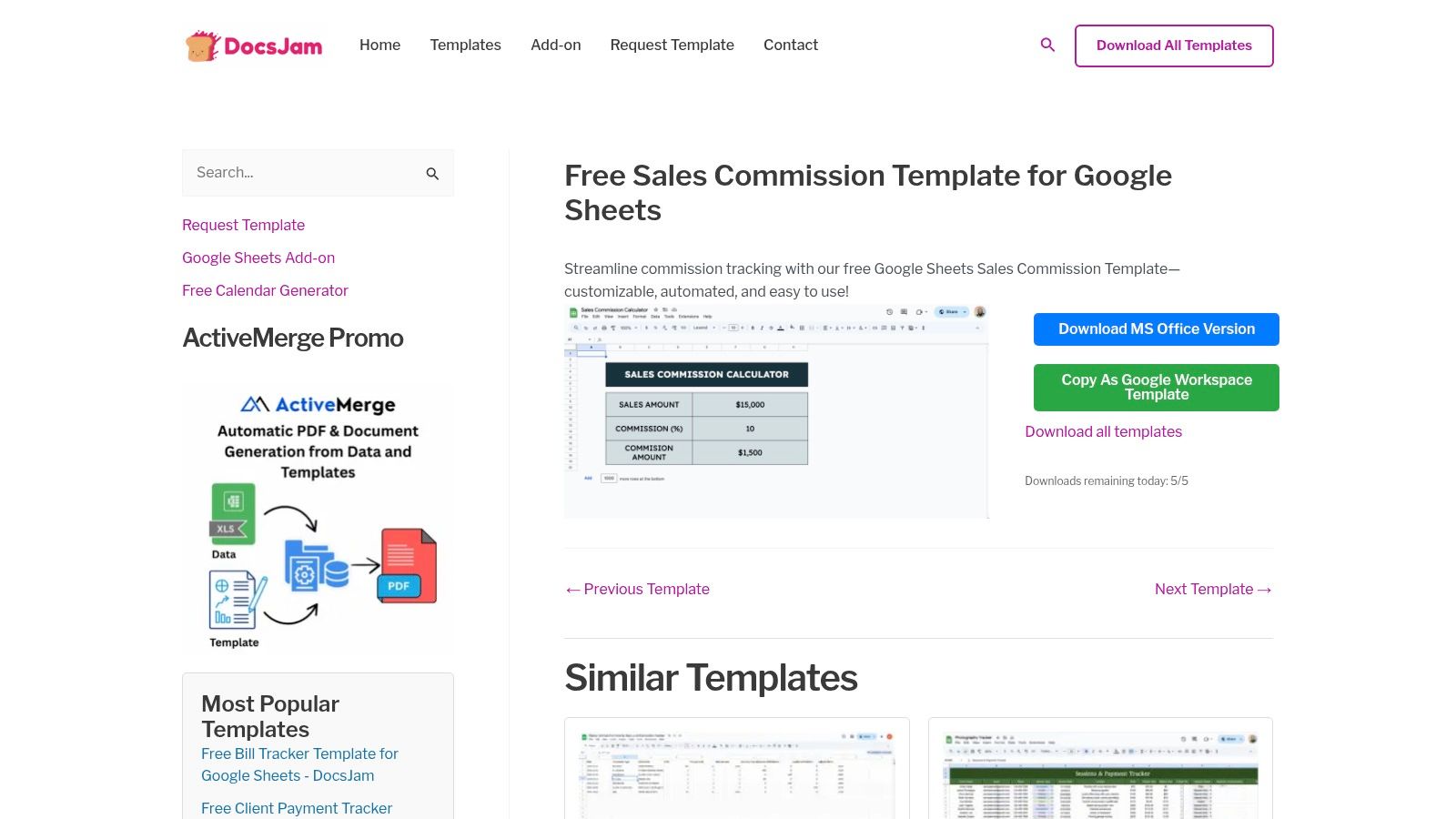
While the template is highly accessible, it lacks the automation, integration, and real-time visibility that dedicated software provides. As a team grows or its commission structure becomes more intricate, they will likely need to upgrade to a more robust, scalable system.
Key Features & Use Case
The FileDrop template excels in its simplicity and immediate usability. Users can download the file, input their sales data, and instantly see commission calculations based on the pre-built formulas. The inclusion of a basic dashboard offers a quick visual overview of performance metrics, making it a functional tool for tracking straightforward, single-tier commission plans without any financial investment.
- Best For: Solopreneurs, freelancers, and small startups needing a basic, no-cost method to begin tracking sales commissions immediately.
- Pre-built Formulas: Includes ready-to-use calculations for common commission structures.
- Spreadsheet Format: Available for both Google Sheets and Excel, offering flexibility.
- Basic Dashboard: Provides a simple visual summary of key sales and commission data.
Pricing and Limitations
The primary strength of the FileDrop template is that it is a completely free tool for tracking commissions. The main limitation is its manual nature; all data must be entered by hand, which can be time-consuming and prone to errors as volume increases. It also requires an email address to receive the download link.
| Pros | Cons |
|---|---|
| Completely free template | Requires an email address to access the download |
| Minimal setup time required | Highly manual process, prone to data entry errors |
| Perfect for solopreneurs and small teams | Lacks the complexity for multi-tiered plans or teams |
For those just starting out, FileDrop’s template is an excellent piece of commission tracking software free of the usual costs, providing a solid foundation before a more advanced solution is needed.
Website: https://getfiledrop.com/template/free-sales-commission-template-for-google-sheets/
11. Xappex
Xappex offers a foundational solution for commission tracking through its free downloadable sales representative commission template. This tool is designed for compatibility with both Microsoft Excel and Google Sheets, providing a manual but effective way to track sales, configure commission rates, and calculate payouts. It is an ideal starting point for individual reps or very small teams that need a basic, no-cost system to manage commissions without the complexity of dedicated software.
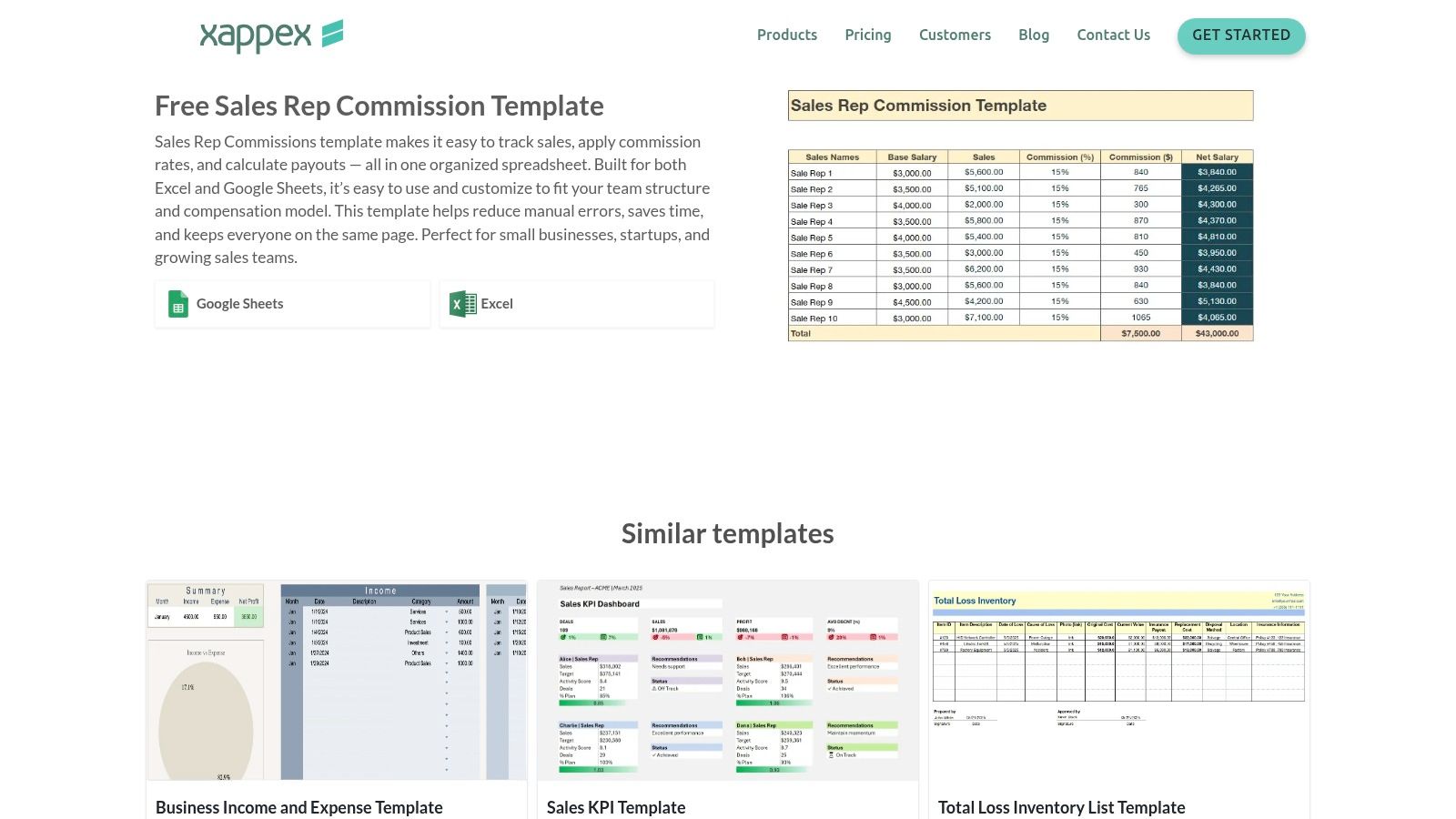
While the Xappex template is a great entry-level tool, businesses requiring automated data syncing from their CRM or an integrated payout system will quickly find its manual nature to be a significant limitation. It serves best as a temporary or supplementary resource rather than a long-term, scalable commission platform.
Key Features & Use Case
The primary strength of the Xappex template lies in its simplicity and universal accessibility. Anyone familiar with spreadsheet software can immediately start using it to log deals and see calculated earnings based on preset formulas. Its customizability allows users to add or remove columns to fit their specific sales process, such as tracking different product lines or one-time bonuses.
- Best For: Freelance sales professionals, solopreneurs, and micro-businesses needing a straightforward, free tool for basic commission calculations.
- Spreadsheet Compatibility: Works seamlessly in both Google Sheets and Microsoft Excel.
- Easy Customization: The template is unlocked, allowing for easy modification of formulas, columns, and commission structures.
- Payout Calculation: Includes pre-built formulas to automatically calculate total commissions based on sales data entered.
Pricing and Limitations
The main advantage of Xappex is that its commission template is completely free to download and use, making it a true commission tracking software free option. However, this comes with significant limitations. The entire process is manual, from data entry to cross-checking sales figures, which is prone to human error and becomes time-consuming as a team grows. There are no automated workflows for approvals or payouts.
| Pros | Cons |
|---|---|
| Completely free to download and use | Requires manual data entry for every sale |
| Works with popular spreadsheet software | High potential for calculation errors |
| Quick to set up for basic needs | Lacks automated approvals and payout processing |
For those just starting out, the Xappex template is a practical and cost-effective way to organize commission tracking before graduating to a more advanced, automated system.
Website: https://www.xappex.com/templates/sales-rep-commission-template/
Free Commission Tracking Software Comparison
| Platform | Core Features / Integration | User Experience / Quality ★ | Value & Pricing 💰 | Target Audience 👥 | Unique Selling Points ✨ |
|---|---|---|---|---|---|
| Coral 🏆 | Amazon Attribution, Custom commissions, Affiliate mgmt | ★★★★★ Intuitive dashboard, detailed reports | Free starter (5% sales fee), $97/mo growth plan | Amazon Brand Registry sellers 👥 | Exclusive Amazon integration, full control, branded landing pages |
| QuotaPath | AI plan builder, CRM integrations (Salesforce, HubSpot) | ★★★★ Robust forecasting, auditability | No free tier, free 30-day trial | SMB to mid-market sales teams 👥 | AI-powered plans, CRM sync |
| SalesCookie | Visual plan designer, multi-currency, audit trails | ★★★★ Fast setup, supportive onboarding | Free for some startups, paid thereafter | US tech startups & SMBs 👥 | Startup-friendly free tier, ASC-606 compliance |
| GoAffPro | Unlimited affiliates (free plan), PayPal payouts | ★★★ Easy integration (Shopify, WooCommerce) | Free Hobby plan, paid advanced tiers | E-commerce sellers & affiliate programs 👥 | True free unlimited affiliates, MLM support |
| UpPromote | Link/coupon tracking, fraud detection, Shopify integration | ★★★★ 24/7 support, easy install on Shopify | Always free starter, paid tiers with fees | E-commerce & referral marketers 👥 | Fraud detection, referral management |
| HubSpot App Marketplace (QuotaPath) | Real-time sync in HubSpot, approval workflows | ★★★★ Native CRM experience | Requires QuotaPath subscription post-trial | HubSpot CRM users 👥 | Seamless HubSpot integration |
| Coefficient | Live Salesforce connectors, commission dashboard | ★★★ Fast setup, spreadsheet-based | Free | Salesforce users looking for templates 👥 | Free, no vendor lock-in with spreadsheet flexibility |
| Vena Solutions | Excel template, payouts, approval workflows | ★★★★ Reliable, enterprise-backed | Free | Small teams preferring Excel 👥 | Enterprise support, polished Excel template |
| Grist | Role-based access, customizable dashboards | ★★★ Better control vs. spreadsheets | Free start, paid advanced automations | Teams needing collaborative spreadsheets 👥 | Strong data control, rep-only views |
| FileDrop | Excel/Google Sheets template, basic dashboards | ★★★ Minimal setup, easy to use | Free | Solopreneurs & small teams 👥 | Simple, fast commission calculator |
| Xappex | Commission config, payout calculation, dual format | ★★★ Basic manual tracker | Free | Small sales teams & reps 👥 | Cross-platform spreadsheets, easy customization |
Making the Right Choice for Your Commission Strategy
Navigating the world of commission tracking software free can feel overwhelming, but this guide has illuminated a path forward for businesses of all sizes. We've explored a diverse range of tools, from dedicated platforms for Amazon sellers to powerful spreadsheet add-ons and robust sales compensation solutions. The most critical takeaway is that you no longer need to rely on error-prone manual calculations that drain time and create confusion.
The right free tool is the one that fits your specific workflow, team structure, and growth stage. By moving away from manual tracking, you're not just saving hours of administrative work; you're building a foundation of trust and transparency with your sales team, affiliates, and creator partners. This fosters motivation, improves performance, and ultimately drives more revenue for your business.
How to Choose Your Free Commission Tracking Software
Selecting the perfect tool requires a clear understanding of your current and future needs. Don't just pick the first option you see. Instead, use this simple framework to guide your decision-making process and ensure you find a solution that will serve you well as you grow.
Here are the key factors to consider:
- Your Primary Sales Channel: Are you an Amazon-native brand? A tool like Coral is designed specifically for that ecosystem, providing unmatched integration with Amazon's data. If you run a Shopify or BigCommerce store, platforms like GoAffPro and UpPromote offer seamless e-commerce connections right out of the box.
- Your Team Structure: Are you managing an internal sales team that lives in a CRM like HubSpot? A direct integration like QuotaPath might be your most efficient choice. If you're coordinating with external influencers and affiliates, a dedicated affiliate management platform is essential.
- Commission Complexity: Do you have a simple, single-tier commission structure? A sophisticated spreadsheet template from Grist or Coefficient might be all you need to get started. For multi-level payouts, tiered bonuses, or recurring commissions, you’ll need a more specialized software solution. When making the right choice for your commission strategy, it's also essential to consider the underlying revenue models, such as various subscription business models, that your business employs, as these can influence your payout structures.
- Technical Comfort Level: Be honest about your team's technical skills. If you prefer a plug-and-play solution, look for tools with guided onboarding and intuitive interfaces. If you're comfortable working within spreadsheets and connecting data sources, a tool like Xappex or FileDrop offers immense flexibility.
Final Thoughts on Scaling Your Strategy
The beauty of starting with a free plan is the ability to test, learn, and adapt without financial commitment. The free tools listed in this article are not just temporary fixes; they are powerful entry points into a more organized and effective commission management system. Your initial choice doesn't have to be your forever choice.
As your business scales, your commission needs will evolve. You might require more advanced analytics, deeper integrations, or the capacity to manage a larger volume of payouts. Many of the platforms we've covered, especially Coral and QuotaPath, offer clear upgrade paths that grow with you. The most important step you can take today is to choose a starting point, implement it, and begin building a scalable, transparent, and motivating commission program that powers your growth.
Ready to automate your Amazon affiliate commissions with a tool built specifically for sellers like you? Coral offers a powerful free starter plan that provides everything you need to track, manage, and pay your creators accurately. Sign up for Coral for free and see how simple commission management can be.