How Amazon Affiliate Works A Simple Guide
Category: How amazon affiliate works
Here’s the simple truth: The Amazon Affiliate program, officially known as Amazon Associates, is a way to earn money by recommending products you love. You get a special link, and when someone clicks it and buys something on Amazon, you get a cut of the sale. Think of it as being a freelance marketer for the biggest online store on the planet.
What Is the Amazon Affiliate Program
At its heart, the Amazon Associates program is a straightforward partnership. You, as a creator or publisher, send people to Amazon. In exchange, Amazon pays you a percentage of whatever they buy through your unique affiliate links. It’s a simple cycle connecting three key players: Amazon (the store), you (the affiliate), and the customer.
Launched way back in 1996, it's one of the oldest and most trusted affiliate programs out there. For 2024-2025, it commands a massive 46% of the global affiliate market. This incredible reach is exactly why it's a go-to for bloggers, YouTubers, and social media influencers who want to make a living from their content.
If you're looking for a deeper dive, our complete guide on the Amazon affiliate marketing program covers everything from A to Z.
Let's quickly go over the essential components of the program.
Amazon Affiliate Program Key Components
This table breaks down the key pieces of the Amazon Associates puzzle.
| Component | Role | Example |
|---|---|---|
| Affiliate (You) | The content creator who promotes products. | A food blogger who recommends a specific air fryer. |
| Affiliate Link | A unique URL that tracks clicks and sales from your site. | https://www.amazon.com/dp/B07VGRJDFY/?tag=your-id-20 |
| Customer | The person who clicks your link and makes a purchase. | A reader of your blog who buys the air fryer. |
| Commission | The percentage of the sale you earn. | You earn 4.5% of the air fryer's price. |
| Cookie | A small file that tracks the customer's activity for 24 hours. | If the customer buys anything within a day, you get credit. |
Understanding these five elements is the foundation for successfully monetizing your content with Amazon.
The Basic Affiliate Cycle
So, how does it all actually work? The process is surprisingly simple and breaks down into just a few steps.
- You Share: You place a unique affiliate link for an Amazon product on your blog, social media post, or YouTube video description.
- A Customer Clicks: Someone in your audience clicks the link, and they’re whisked away to that product’s page on Amazon.
- They Purchase: The customer buys the item—or anything else they add to their cart—within the next 24 hours.
- You Earn: Amazon’s system sees the sale came from your link and credits your account with a commission. It’s that easy.
This screenshot from the official Amazon Associates homepage perfectly captures the program's "Recommend. Earn. Advertise." model.
The image reinforces how the program helps you guide your audience toward products they'll actually use, letting you earn from qualifying purchases.
While we're focused on Amazon here, it’s worth remembering that this model isn't unique. Many companies offer their own general affiliate programs, each with its own rules and rewards.
How to Become an Amazon Affiliate
Ready to jump into the Amazon Associates program? The good news is that the process itself is pretty straightforward. But before you race to the sign-up page, you need to get your house in order first.
Think of it this way: your website, blog, or social media channel is your resume. Amazon wants to partner with creators who already have an established platform and an engaged audience. They're looking for proof that people already listen to you, which is why your content is so important.
What Amazon Looks For: The Eligibility Basics
Amazon is selective about who they let into their program, and for good reason. They want to protect their brand by partnering with quality creators. While there isn't a magic number for traffic, they do look for a few key things to make sure your platform is a good fit.
To give yourself the best shot at getting approved, you'll need:
- An active, public platform. This could be your blog, a niche review site, a popular YouTube channel, or even a social media page with a solid following. The key is that it can't be private or hidden behind a paywall.
- Original content. This is a big one. Your site needs to be filled with your own unique articles, videos, or posts. Sites that just re-post other people's work or have almost no content get rejected fast.
My number one piece of advice? Don't even think about applying until you have at least 10-15 quality articles or a few months of consistent social media posts. An empty or brand-new site is a guaranteed "no" from the review team.
Taking the time to build out your content first shows Amazon you're serious and gives them a real sense of what you're all about.
A Walk-Through of the Application
Once your platform is looking sharp, heading over to the Amazon Associates homepage to sign up is the next step. The application itself is a simple, multi-step form that guides you through everything.
Here's a quick look at the information you'll need to have ready:
- Account Information: Just the basics here—your name, address, and phone number.
- Website and Mobile App List: This is where you'll list every single URL you plan to use to promote Amazon products. Be comprehensive and include all your websites, blogs, and social media pages.
- Profile Details: You'll get a chance to describe your platform. Talk about your niche, the topics you cover, and the kinds of products you think your audience will love.
- Traffic & Monetization: Amazon will ask how you get visitors (SEO, social media, paid ads, etc.) and if you're already making money from your site in other ways.
- Identity Verification: A quick phone call verification is usually the last step to confirm you are who you say you are.
After you submit, you get provisional approval. This is where the real test begins. You have 180 days to make at least three qualifying sales. Once you hit that goal, the Amazon team does a final review of your site. If everything checks out, you're officially in.
Understanding How You Get Paid
So, how do those affiliate links actually translate into cash? It all comes down to Amazon's commission structure, a system where what you earn is tied directly to the type of product someone buys through your link. Getting a handle on this is the key to understanding the money side of the program.
Not every click is created equal. A link to a high-end camera will earn you a very different commission than a link to the latest video game. Amazon has specific rates for each product category, and the differences can be huge.
For instance, categories like Luxury Beauty or Amazon Games can pay out as much as 10%. On the other hand, things like physical video games might only earn you 1%. This is exactly why choosing your products wisely is so important for maximizing your income.
The Power of the 24-Hour Cookie
One of the best features of the Amazon Associates program is the 24-hour cookie window. Think of it as a digital shopping pass. When someone clicks your affiliate link, a tiny tracking file—a "cookie"—is stored on their browser, and it stays active for 24 hours.
This little pass does more than just track the one product you recommended.
Here's where the magic happens: If a reader clicks your link for a coffee maker but ends up buying that coffee maker, a pair of noise-canceling headphones, and a new dog bed all within that 24-hour window, you get a commission on their entire shopping cart.
This is how a single recommendation can sometimes lead to a surprisingly big payday. You get rewarded for simply sending the shopper to Amazon, no matter what they ultimately decide to buy.
The image below gives you a great visual of how commission rates, audience relevance, and conversion potential all connect when you're deciding what to promote.
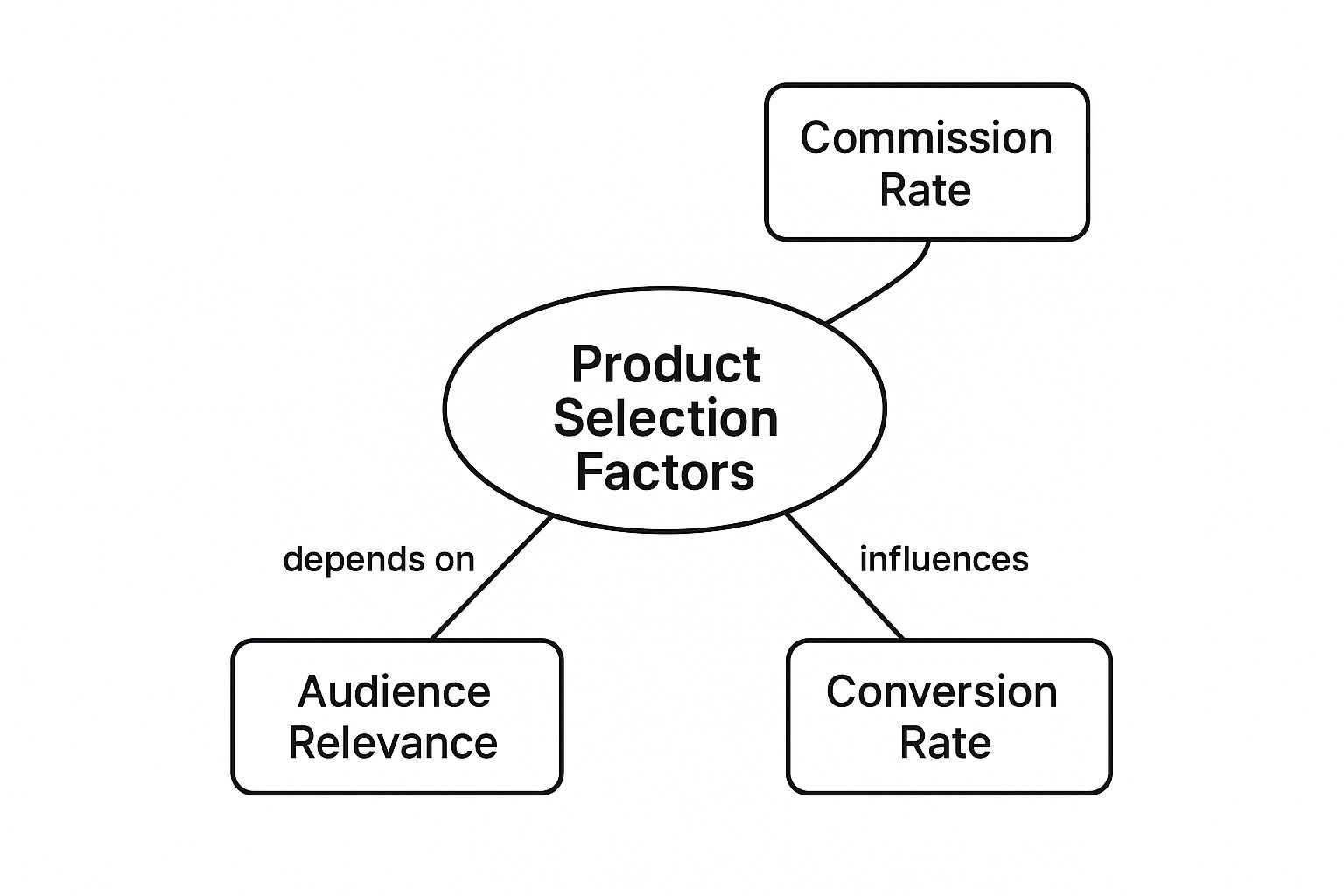
As you can see, the sweet spot lies where high commission rates meet products that your audience actually wants and is likely to buy.
Receiving Your Affiliate Earnings
Once you start making sales, the big question is: how do I get my money? Amazon keeps things pretty simple with a few payment options and a clear schedule.
- Payment Methods: You can usually choose between direct deposit, an Amazon gift card, or a paper check. Most people go with direct deposit since it's the fastest and easiest.
- Minimum Payouts: You have to hit a certain amount before Amazon pays you. The threshold is typically $10 for direct deposit and gift cards. It's a bit higher if you opt for a check.
- Payment Schedule: Amazon pays on a monthly schedule, but there's a bit of a delay. You'll get paid about 60 days after the end of the month you earned the commission in. So, for everything you earn in January, you'll see that money at the end of March.
For a deeper dive into what you can realistically earn, check out our guide on https://coral.ax/blog/how-much-do-amazon-affiliates-make. If you want to broaden your horizons, you can also explore strategies for earning money from other online platforms.
Alright, you’ve been approved as an Amazon Associate. Now for the fun part: creating the special links that actually make you money.
Think of these affiliate links as unique breadcrumbs. When someone from your audience follows one to Amazon and makes a purchase, that breadcrumb tells Amazon, "Hey, this sale came from them!" The easiest way to get started is by using a handy tool Amazon provides right on its own site.
Creating Your First Affiliate Links
Amazon’s SiteStripe is an absolute lifesaver, especially when you're just starting out. It's a simple toolbar that magically appears at the top of every Amazon page you visit, but only when you're logged into your Associates account. This means you can be browsing for a product and generate a trackable link for it right then and there—no need to jump back and forth between tabs or a clunky dashboard.
Using SiteStripe to Generate Links
Let's imagine you're writing a review of your favorite espresso machine. You head over to its product page on Amazon, and with the SiteStripe bar sitting at the top, you can grab a link in a couple of clicks without ever leaving the page. It's that simple.
Here’s what it looks like in the wild:
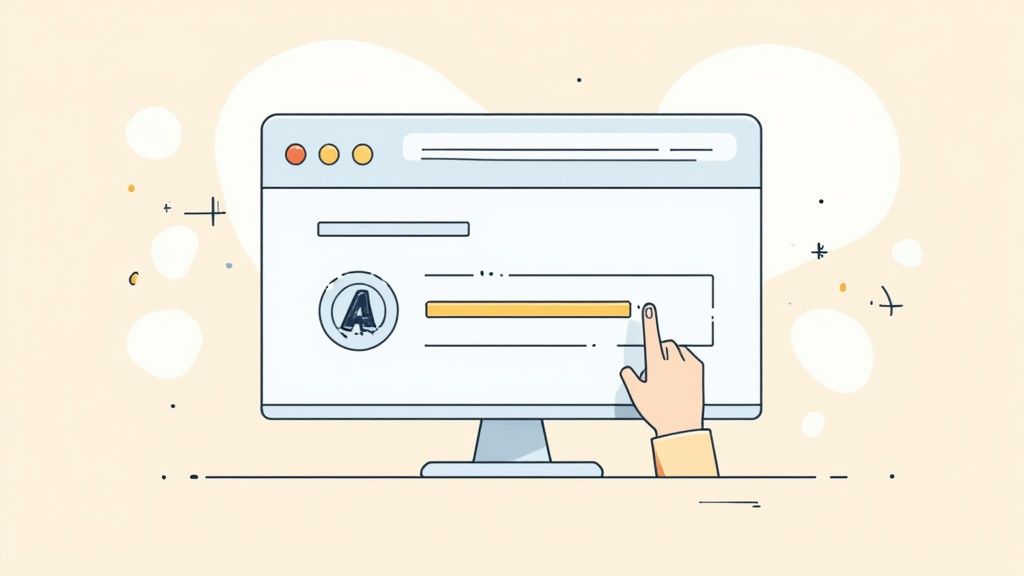
As you can see, it's a clean, no-fuss bar with options to get a Text, Image, or a combined Text+Image link for whatever product you're currently viewing.
The real beauty of this is how it handles the tracking behind the scenes. When a reader clicks your link, a 24-hour clock starts ticking. If they buy anything—not just the product you linked to, but anything in their cart—during that window, you get a commission. This little detail can seriously boost your earnings, a concept that's explored further in Shopify's breakdown of affiliate potential.
Choosing the Right Link Type
SiteStripe gives you a few different ways to present your links, and picking the right one for the right context can really impact your click-through rates.
You get three main choices:
- Text Links: Your classic, straightforward hyperlink. These are perfect for weaving naturally into your sentences, like "You can find my favorite travel backpack right here." They feel organic and work brilliantly in reviews and how-to guides.
- Image Links: This turns the product's picture into a clickable link. It’s a great visual cue for listicles ("Top 10 Gadgets"), gift guides, or even in your website's sidebar. Sometimes a good photo does all the selling for you.
- Text + Image Banners: This is a mini-ad that combines a product image, some text, and a call-to-action button like "Shop Now." These are best for dedicated ad spots, like in a site's header, footer, or a special promotional block.
A Quick but Critical Heads-Up: Whichever link you choose, you absolutely must disclose that you're an affiliate. A simple statement like, "As an Amazon Associate, I earn from qualifying purchases," needs to be clearly visible on your site. This isn't just Amazon's rule; it's an FTC requirement. Being transparent keeps you in good standing and builds trust with your audience. Skipping this can get your account shut down.
Proven Strategies for Affiliate Success
Alright, so you understand how the Amazon Associates program works. That’s the easy part. The real trick is turning that knowledge into actual, consistent income. This means moving beyond just the technical side of things and figuring out what makes people actually click and buy.
The most successful affiliates I’ve seen aren't just dropping links everywhere. They’ve positioned themselves as trusted friends—the go-to experts who genuinely help people decide what to purchase. The secret sauce? Creating content that serves your audience first.
Create Content That Converts
Not all content is created equal, especially when your goal is to drive a sale. Some formats are just naturally better at catching people at the exact moment they’re ready to pull out their wallets.
Think about creating content like:
- Real-Deal Product Reviews: Don't just rehash the product description from Amazon. Get your hands on the product. Talk about what you loved, what you didn’t, and who it’s actually for. That honesty is what builds trust.
- Head-to-Head Comparisons: People often get stuck between two or three great options. A detailed comparison article that breaks down the key differences can be the final nudge they need to make a decision.
- Curated "Best Of" Lists: Posts like "The 5 Best Coffee Makers for Small Kitchens" or "My Top 10 Gadgets for Working from Home" are gold. They attract people who already know they want to buy something but need an expert to narrow down the choices.
The theme here is simple: be helpful. If you make it your mission to solve your audience's problems, the commissions will come as a natural result of the trust you've built.
To help you decide where to focus your energy, let's look at a few popular content types and see how they stack up.
Effective Content Types for Amazon Affiliates
| Content Type | Best For | Conversion Potential |
|---|---|---|
| Product Reviews | Building authority and trust on a single item. | High |
| Comparison Posts | Capturing buyers who are late in the decision-making stage. | Very High |
| "Best Of" Listicles | Attracting search traffic from people actively looking to shop. | High |
| How-To Guides | Solving a specific problem and naturally integrating products. | Medium |
| Gift Guides | Targeting seasonal shoppers and high-intent buyers. | High (Seasonal) |
Each of these formats works because it addresses a specific need. The key is to match the right content type to what your audience is searching for.
Build Trust and Credibility
Your reputation is everything. If you recommend a terrible product just to make a buck, people will remember, and they won't come back. A single bad call can undo months of hard work. Only recommend products you can genuinely stand behind.
Getting your great content discovered is the next step, and that’s where some basic SEO comes in. You want to target keywords that people use when they’re ready to buy—phrases that include words like “best,” “review,” “vs,” or “comparison.” This gets your content in front of an audience that’s already in a shopping mood.
If you’re just getting started, our post on affiliate marketing tips for beginners is a fantastic resource for building out your core strategy.
Use Social Media Smartly
Social media can be a huge asset, but you have to play it cool. Nobody likes an account that just spams affiliate links all day. Instead, use your platforms to build a community and share your expertise in a visual way.
For instance, you can Master Amazon Affiliate Marketing on Pinterest by creating eye-catching graphics and idea pins that show products in a real-world context. A quick video or a beautiful photo is far more compelling than a simple text link. Just remember to always disclose that you’re using affiliate links—transparency is key.
Common Mistakes New Affiliates Make
It’s easy to get excited and start dropping links everywhere, but learning the ropes of the Amazon Associates program means knowing what not to do. Trust me, sidestepping a few common slip-ups from the get-go is the quickest way to build a business that actually lasts.
One of the biggest blunders I see is cloaking affiliate links. Newcomers often think a shortened, generic link looks cleaner or more professional. But Amazon’s rules are crystal clear: they demand transparency. Using a third-party link shortener to hide that a link goes to Amazon is a fast pass to getting your account shut down.
Another classic mistake is popping affiliate links directly into emails. This is a huge no-no. Amazon strictly forbids it because they can't properly track where that click came from or the context around it.
Keeping Your Account in Good Standing
So, how do you navigate these rules? It's actually pretty simple.
For your email newsletters, don't drop the affiliate link in the email body. Instead, link to a blog post or a landing page on your own website where the Amazon link lives. This simple workaround keeps you compliant while still driving your audience exactly where you want them to go.
The single most critical rule is disclosure. You must clearly state your relationship with Amazon. A simple line like, "As an Amazon Associate, I earn from qualifying purchases," placed visibly on your site is non-negotiable.
Forgetting this isn't just breaking an Amazon policy; it's a legal requirement from the FTC.
By steering clear of these common traps, you’re not just protecting your account. You're building a foundation of trust with both Amazon and your audience, setting yourself up for a healthy, long-term partnership.
Common Questions About Amazon Associates
Getting started with a new program always brings up a few questions. Let's tackle some of the most common ones so you can get going with confidence.
How Much Does It Cost to Join?
Here’s the best part: joining the Amazon Associates program is 100% free. Amazon doesn't charge you a dime to sign up or participate.
Your only expenses will be the ones you already have for running your blog, YouTube channel, or social media presence—things like website hosting or content creation tools. But as far as Amazon is concerned, it costs nothing to become an affiliate.
Can I Use Affiliate Links on Social Media?
Yes, you absolutely can! Sharing affiliate links on platforms like Instagram, YouTube, Facebook, and Pinterest is a fantastic way to earn commissions.
Just remember the golden rule: you must disclose your relationship with Amazon. Your followers need to know you might earn money if they buy something through your link. A simple hashtag like #ad or #AmazonAssociate usually does the trick.
This isn't just an Amazon rule; it's also required by the FTC. Being upfront and transparent is the best way to build trust with your audience and keep your account in good standing.
What Happens if a Customer Returns a Product?
It's a common scenario. If someone buys an item through your link but decides to return it, the commission you earned from that sale gets reversed. You'll see this reflected as a deduction in your earnings report.
Ready to manage your own team of affiliates? With Coral, you can create a powerful affiliate program for your Amazon brand, turning creators and influencers into dedicated partners. Build your affiliate network today.