Your Guide to Amazon Attribution
Category: Amazon attribution
Are you spending money on Google and Facebook ads to drive people to your Amazon listings? If you can't tell which ads are actually ringing the register, you're essentially flying blind. You're pouring money into a marketing machine without knowing which parts are working and which are just leaking cash.
This is exactly the problem Amazon Attribution was built to solve. It's the missing GPS for all your marketing traffic that comes from outside of Amazon.
What Is Amazon Attribution and Why You Need It
Think of Amazon Attribution as a specialized tracking tool. It finally connects the dots between your off-Amazon marketing efforts—like a Facebook ad, an influencer's post, or a Google search result—and the actual sales that happen on your product pages. It shows you the full journey.
For any seller enrolled in Brand Registry, this isn't just a "nice-to-have." It's a non-negotiable tool for making smart, data-backed decisions. Without it, calculating your true return on ad spend (ROAS) across all your marketing channels is pure guesswork. You're left wondering which campaigns are winners and which are just bleeding your budget dry.
Understanding the Attribution Window
A core piece of this puzzle is the attribution window. This is simply the time period after someone clicks your ad during which Amazon will give that ad credit for a sale.
The standard window is 14 days. So, if a shopper clicks your ad today and buys one of your products anytime in the next two weeks, Amazon attributes that sale back to your campaign. This 14-day lookback gives you a realistic timeframe to measure an ad's impact, since we all know customers don't always buy right away.
The Challenge of Setup and Usability
Here's the catch. While Amazon Attribution is incredibly powerful, getting it correctly set up for channels like Facebook ads and Google ads can be a real headache. You have to meticulously create unique tracking links for every single campaign, ad group, and creative just to get clean data. One wrong step and your reporting is a mess.
To make matters worse, many sellers find the native Amazon Attribution interface inside Seller Central clunky and not super clear. The reports can feel cluttered, making it tough to pull out simple, actionable insights. This complexity is a huge roadblock when you need to make fast decisions.
This is where Coral comes in. It integrates with Amazon Attribution and presents a very clear, clean interface that allows you to track performance from affiliates, ambassadors, and creators. You can filter by them and by the specific attribution links they created for your brand.
First launched in 2017, Amazon Attribution was designed to give brands this very visibility. One company, Premium Nutrition, put the tool to the test. By identifying exactly which marketing channels were driving the most valuable conversions, they optimized their campaigns and saw a staggering 322% year-over-year increase in sales. You can discover more insights about how other brands are using Amazon Attribution to fuel serious growth.
How to Set Up Amazon Attribution The Right Way
Alright, let's move from theory to practice. Getting your Amazon Attribution set up correctly is where the rubber meets the road. This is how you'll get the hard data you need to see if your off-Amazon ads are actually working. But getting it right, especially for giants like Google and Facebook, takes some attention to detail.
The whole process boils down to one core task: creating unique tracking URLs, which Amazon calls attribution tags, for every single marketing effort. Think of each tag as a unique fingerprint for a specific ad. This tiny detail is what makes it possible to connect a customer's click to a final sale, so you know exactly which ad brought them in.
Getting Around the Amazon Attribution Interface
The first roadblock for many sellers is the Amazon Attribution dashboard itself, right inside Seller Central. It’s a powerful tool, no doubt, but the interface for creating these tags can feel clunky and unintuitive, especially when you're just starting out. Just figuring out where to create a campaign and get your links can be a real headache that slows down your marketing roll-out.
This screenshot gives you a glimpse of what you'll be looking at. You can see all the different fields and steps needed just to generate one tracking link. Now, imagine doing that for dozens of campaigns. It can get overwhelming fast.
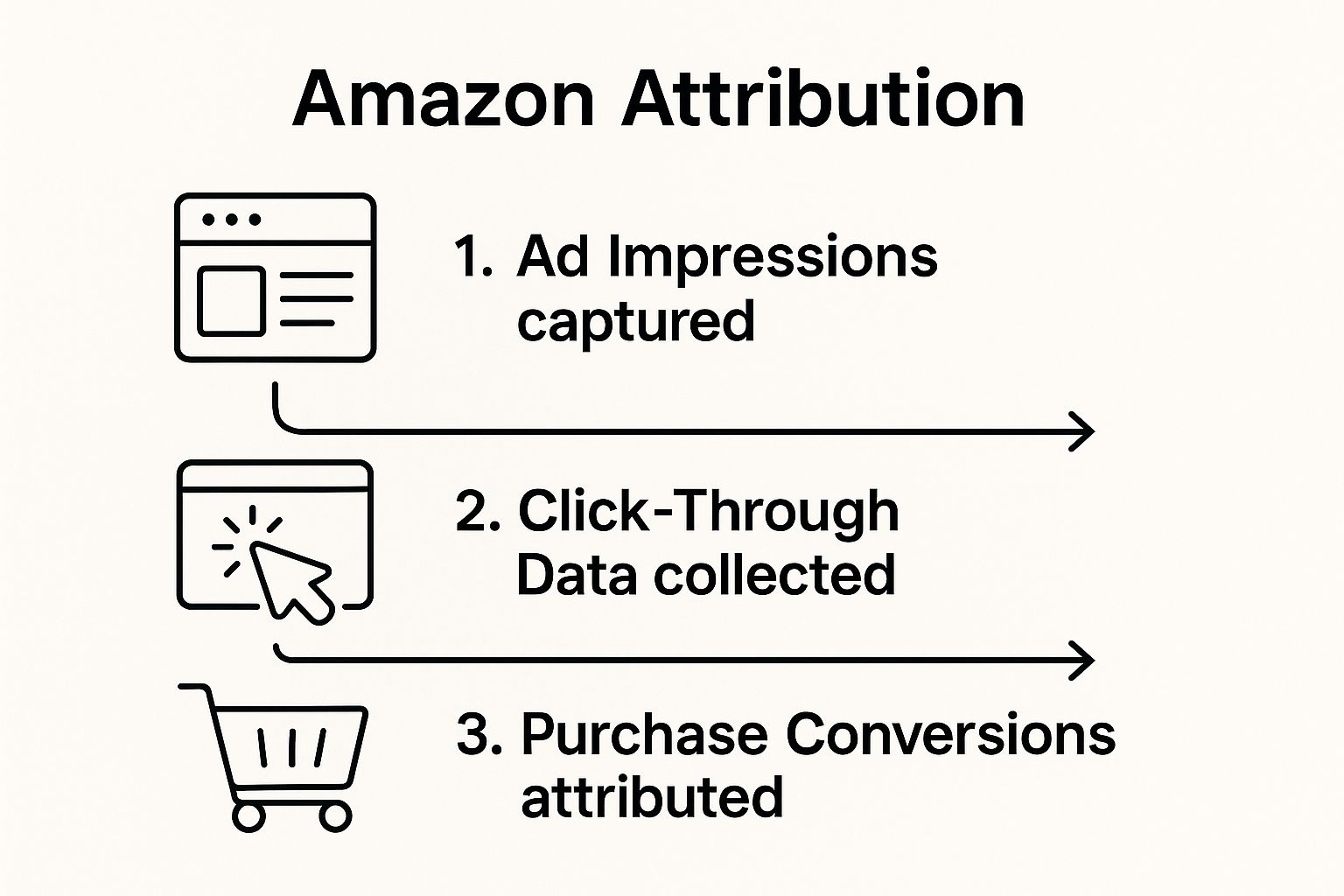
This is the control center for defining your campaigns, but its complexity is a big reason why many brands end up looking for simpler ways to manage their attribution.
Setting Up Tags for Google and Facebook Ads
For your ads on platforms like Google and Facebook to be tracked, they absolutely must use these special attribution links. Precision is key here.
- For Google Ads: First, you’ll create a campaign inside the Amazon Attribution dashboard to generate your tag. You then take that unique URL and plug it into the "Final URL" field of your Google Ad. This little detour sends the click through Amazon's tracking system before the customer ever lands on your product page.
- For Facebook Ads: It's a very similar dance. Generate the attribution link in Seller Central, then use it as the "Website URL" when you build your ad in Facebook.
It's so important to create separate attribution links for every campaign, every ad group, and even every individual ad creative. That level of detail is what lets you zero in on what’s working and what’s just burning cash.
Why the Default 14-Day Window Is Important
Amazon Attribution works with a standard 14-day attribution window. What does that mean? If a shopper clicks your ad and buys something from your brand within the next two weeks, that sale gets credited back to your campaign.
This window is crucial because, let's be honest, people rarely buy a product the very first time they see an ad. They think about it, they compare, and they come back later. Understanding this 14-day period is essential for reading your results correctly and getting a true picture of your Return on Ad Spend (ROAS).
This simple graphic breaks down how Amazon Attribution follows a customer from the ad all the way to a purchase.
As you can see, the tool logs the ad impression, captures the click, and finally attributes the conversion. It’s the bridge connecting your external ad budget to actual sales on Amazon.
Coral: The Simpler, Clearer Alternative
The sheer hassle of creating and managing hundreds of links in Amazon's interface is a major pain point for brands. This is where a tool like Coral becomes a lifesaver. Coral plugs directly into Amazon Attribution but shows you all the data in a clean, easy-to-understand dashboard.
Instead of fighting with that cluttered native interface, you can track performance from all your off-Amazon partners in one place, including:
- Affiliates
- Brand Ambassadors
- Content Creators
With Coral, you can instantly filter your results by individual creators and even by the specific Amazon Attribution links they are using for your brand. This kind of clarity helps you spot your top performers in seconds, turning a mountain of confusing data into clear, actionable insights to grow your business.
Making Sense of the Amazon Attribution Window and Metrics
Once your attribution tags are up and running, it’s time to learn how to read the story your data is telling. To do that, you need to get a handle on two core ideas: the Amazon Attribution window and the specific metrics it tracks.
Think of it this way: the window is the rulebook for how credit is given, and the metrics are the scoreboard.
Amazon uses a 14-day last-click model for its attribution window. Put simply, if someone clicks on one of your off-Amazon ads—say, a Facebook post or a Google search result—and buys something from your brand on Amazon within the next 14 days, your ad gets the credit for that sale.
This two-week timeframe is incredibly important. Very few customers buy things the instant they see an ad. They see it, click, maybe add your product to their cart, think it over for a day or two, and then circle back to buy. The 14-day window is designed to capture this real-world shopping journey, giving you a much more accurate picture of your ad’s true impact.
Navigating the Metrics That Matter
Beyond just knowing if your ad led to a sale, Amazon Attribution gives you a goldmine of data on what shoppers do after they click. Properly setting up Amazon Attribution for Facebook ads and Google campaigns is the only way to get this deep level of insight.
You’ll want to keep a close eye on these key performance indicators:
- Detail Page Views (DPV): This counts how many times people viewed your product page after clicking your ad. It's the first real sign of interest.
- Add to Carts (ATC): This tells you how many of those visitors actually added your product to their shopping cart, signaling a stronger intent to buy.
- Purchase Rate: The percentage of clicks that turned into a sale. This is a direct measure of how persuasive your campaign is.
- Total Sales: The total dollar value of all sales credited to your campaign. This number is what you'll use to calculate your return on ad spend (ROAS).
By seeing the full customer journey—from discovery to consideration to purchase—you can finally measure the real sales impact of your off-Amazon marketing. However, many sellers find themselves struggling with Amazon's fragmented reports and the lag in data. To learn more about navigating these hurdles, see how you can get more actionable insights from Amazon Attribution data.
The table below breaks down the most important metrics you'll find in your reports and what they really mean for your campaign performance.
| Metric | What It Measures | Why It's Important |
|---|---|---|
| Detail Page Views (DPV) | The number of times a shopper viewed your product page after clicking an ad. | Shows initial interest. High DPVs with low sales might indicate a problem with your product page. |
| Add to Carts (ATC) | How many shoppers added your product to their cart from an ad-driven session. | Signals strong purchase intent. This is a key step between interest and conversion. |
| Purchase Rate | The percentage of clicks that resulted in a completed purchase of your product. | This is your core conversion metric. A high purchase rate means your ad and listing are effective. |
| Total Sales | The total revenue generated from attributed purchases within the 14-day window. | Directly measures your campaign's financial success and helps you calculate your return on investment. |
Looking at these metrics together gives you a complete picture, helping you pinpoint exactly where your funnel is strong and where it needs work.
The Challenge of Amazon's Interface
While the data itself is invaluable, getting to it and making sense of it in Amazon Seller Central can be a real headache. The native Amazon Attribution interface isn’t exactly famous for being user-friendly. Many sellers find it clunky and confusing, making it tough to compare how different campaigns or channels are performing against each other.
For instance, just trying to see how one influencer's campaign is doing compared to a Google Ads campaign can mean digging through several messy reports. This slows you down and makes quick, data-backed decisions nearly impossible.
This built-in complexity often becomes a major roadblock for sellers. You have all this great data, but turning it into a clear, simple strategy is a whole other challenge.
This is exactly where third-party tools can be a game-changer. A platform like Coral pulls in all your Amazon Attribution data but displays it in a clean, intuitive dashboard that’s built for action. Instead of wrestling with Amazon's confusing reports, you get a clear view of what’s working and what isn’t.
With Coral, you can easily track performance from all your external traffic—from affiliates to brand ambassadors and content creators. You can filter results by individual partners and even by the specific attribution links they use, letting you instantly spot your top performers without the usual frustration. It transforms a painful data-gathering chore into a streamlined process for optimizing your off-Amazon marketing.
Let's be honest: while Amazon Attribution data is incredibly valuable, getting it from Amazon’s native interface is a real headache. Anyone who has spent time in Seller Central knows the platform can feel confusing, cluttered, and just plain overwhelming.
It's not just a matter of learning where everything is. The entire setup can feel like a barrier, stopping you from turning a pile of raw data into smart decisions for your brand.
You end up clicking through a maze of menus for even the simplest tasks. Need a new attribution link? Good luck. Trying to find data for a specific campaign or compare how your Facebook Ads are doing against your Google Ads? It’s rarely a quick or easy process. This kind of friction slows you down, making it tough to act on insights when it matters most.
The Grind of Setting Up Campaigns in Seller Central
One of the biggest frustrations is just creating the attribution links themselves. For every single channel, creative, or partner you work with, you have to manually build out campaigns and ad groups within the interface. It's a tedious, time-consuming task.
Once you have everything running, this is what you're looking at inside the dashboard:
As you can see, all the data is technically there. But it’s presented in a dense, spreadsheet-style format that’s difficult to make sense of at a quick glance.
Why a Cluttered View Is a Real Problem
This layout makes it nearly impossible to compare performance across different channels without a ton of manual work. You're stuck exporting data and building your own reports in a separate spreadsheet. If you’re a brand that works with multiple affiliates, ambassadors, or content creators, this quickly spirals into a logistical mess.
You spend more time fighting with the interface than you do actually analyzing your results—which defeats the whole purpose of having this data in the first place.
The fundamental problem is that Amazon’s interface is built to deliver data, not help you analyze it. It shows you what happened, but it makes it incredibly difficult to figure out why or what you should do next.
This is exactly where specialized tools come into the picture. A platform like Coral, for instance, plugs directly into Amazon Attribution but presents the information in a completely different way. It’s a clean, clear interface designed for marketers, not data engineers.
With a simplified dashboard, you can see performance from all your partners—affiliates, ambassadors, and creators—in one spot. You can filter by individual partners and even see the results for each unique link they created for your brand. This turns a frustrating data-digging session into a simple process of spotting your top performers and figuring out how to grow your business.
How Coral Simplifies Your Attribution Tracking
Let's be honest. While Amazon Attribution gives you the raw data you need, actually using it inside Seller Central can be a real headache. The native interface often feels cluttered, confusing, and just wasn't built for the quick, on-the-fly analysis that modern brands require. This complexity becomes a roadblock, forcing you to spend more time wrestling with reports than acting on the insights hidden within them.
This is where having the right tool can completely change your game. Instead of fighting with Amazon's interface, you can plug into a platform that does the heavy lifting for you, transforming mountains of messy data into clear, actionable intelligence.

Coral connects directly with the Amazon Attribution API, but here's the key difference: it presents that information in a way that actually makes sense. We’ve built a clean, intuitive dashboard designed specifically for brands who are serious about scaling their off-Amazon marketing with clarity and precision.
The Power of a Clean Interface
The very first thing you’ll notice about Coral is how it solves the complexity problem. We’ve designed our dashboard to be the polar opposite of the experience in Seller Central. No more digging through endless menus or exporting clunky CSV files just to compare two campaigns side-by-side.
What you get instead is a single, easy-to-read view of all your off-Amazon marketing efforts. This brings performance data from every partner you work with into one place:
- Affiliates: Track sales and see commissions from your traditional affiliate marketers.
- Brand Ambassadors: Monitor the real-world impact of your most loyal advocates.
- Content Creators: See exactly which influencers are driving the most valuable traffic.
This unified view saves countless hours and, maybe more importantly, removes the frustration of trying to piece together a coherent story from fragmented reports. You can finally see your entire off-Amazon ecosystem at a glance.
Precision Tracking for Your Partners
One of the most powerful features in Coral is the ability to filter your results with incredible granularity. This is where you graduate from simply collecting data to making genuinely smart decisions. With just a few clicks, you can filter your reports by individual creators to see exactly who your top performers are.
Think about it like this: you're working with 20 different influencers for a new product launch. Instead of trying to untangle their performance in Amazon’s reports, Coral gives you a clear leaderboard. You can instantly see who is driving the most sales, who has the highest purchase rate, and who might need a little more support to succeed.
This level of detail goes even deeper. You can also filter results by the specific Amazon Attribution links each partner generated. This is an absolute game-changer for A/B testing and optimization. For example, you can see if an influencer's Instagram Story link is outperforming the link they dropped in their YouTube video description. Good luck getting those kinds of insights quickly from the native Amazon interface.
Correctly Setting Up for Success
A huge benefit of using a tool like Coral is how much it simplifies the setup process for your partners. When you’re running campaigns on Facebook ads or Google ads, getting the attribution link right is everything. Coral streamlines this by allowing your affiliates and creators to generate their own unique attribution links right inside the platform.
This small feature has a massive impact. It ensures every link is created correctly, tied to the right partner and campaign, and is ready to track from the moment it goes live. It virtually eliminates the risk of human error, guaranteeing your data is clean and reliable from day one. Of course, you can boost your campaign results even more by ensuring your traffic lands on an optimized page. Learn more about creating a high-converting destination in our guide to building a winning Amazon Store page.
By presenting data clearly and making it incredibly easy to filter, Coral transforms Amazon Attribution from a complicated reporting tool into a true strategic asset. You can finally identify your most valuable partnerships, optimize your marketing spend, and scale your brand’s presence off-Amazon with confidence.
Winning in a Crowded Marketplace with Smart Data
Let's be honest, trying to stand out on Amazon these days is tough. It's no longer enough to just have a great product. The brands that are actually growing are the ones who are smart about their data. This is where Amazon Attribution comes in—it’s not some fancy add-on, it’s a must-have for figuring out what’s actually working.
As the marketplace gets more packed, the winners will be the brands that can send traffic from places like Google, Facebook, or Instagram and prove it's making them money.
Success really comes down to two things. First, you have to get your head around what Amazon Attribution is and how its 14-day attribution window really works. Second, you’ve got to get it set up correctly for your most important traffic sources. This is often where people get stuck, because let's face it, Amazon's own interface can be a real headache to use.
The native Amazon Attribution dashboard in Seller Central is notoriously clunky. It throws a ton of data at you, but it’s so disorganized that finding actionable insights feels like searching for a needle in a haystack.
This is precisely why specialized tools exist. A platform like Coral plugs directly into Amazon Attribution but gives you the data in a clean, straightforward dashboard that actually makes sense. You can see exactly how all your affiliates, ambassadors, and creators are performing.
Want to see the results from a specific partner? Or even a specific link they shared? Easy. It turns a mountain of confusing data into a simple report. This is how you stop guessing and start building a more profitable, defensible brand on the world's biggest online store. If you're working with partners, our guide to the Amazon affiliate marketing program is a great next read.
Amazon’s retail machine is massive, and its attribution tools are available in key markets like the US, UK, and Canada to help sellers make the most of it. Seeing just how big Amazon really is makes it clear why getting a handle on these tools is so important.
Common Questions & Sticking Points
When sellers first learn about Amazon Attribution, a few common questions always pop up. It’s a fantastic tool that opens up a whole new world of data, but let's be honest, it has its quirks. Let’s walk through some of the most frequent hurdles.
Is It Hard to Set Up Correctly?
Getting started can feel like a real chore. One of the biggest sticking points is correctly setting up your Facebook ads and Google ads for tracking.
To get the detailed data you really want, you need to create a unique attribution link for every single campaign, ad group, and creative. It’s the only way to see precisely which ad drove a sale, but man, is it a tedious and manual process. It's incredibly easy to make a mistake and mess up your data from the get-go.
How Does the Attribution Window Work?
Amazon gives you a 14-day attribution window. This means if a shopper clicks your ad and makes a purchase anytime within the next two weeks, Amazon credits that sale back to your campaign. While that’s a pretty generous timeframe, it also shows just how crucial that initial setup is. If your links aren't perfect, you can't trust the sales data that comes back.
Why Is the Amazon Dashboard So Confusing?
Even if you nail the setup, you'll quickly run into the next challenge: the native Amazon Attribution interface. Inside Seller Central, the reporting dashboard is powerful, but it’s not exactly famous for being intuitive. The reports are often dense and hard to decipher at a glance, which makes comparing performance between, say, a Google ad and an influencer post a real headache.

This clunky experience is a universal frustration. It’s a major reason why many growing brands eventually look for third-party tools to make sense of it all.
Here's the heart of the problem: Amazon’s dashboard is designed to store data, not necessarily to help you analyze it. It gives you all the numbers, but it doesn't give you a clear roadmap to turning those numbers into smart decisions.
This is exactly where a tool like Coral comes in. It plugs directly into your Amazon Attribution data but displays it in a clean, simple dashboard. You can track performance from all your marketing partners—affiliates, ambassadors, and creators—in one place. Better yet, you can filter your results by individual partner or even by the specific links they’re using. It takes that mountain of confusing data and transforms it into a report you can actually use.
Ready to stop wrestling with spreadsheets and start making data-driven decisions? See how Coral can simplify your affiliate and influencer marketing on Amazon. Get started with Coral today.