How to Build a High-Converting Amazon Store Page
Category: Amazon store page
Think of your individual product pages as single aisles in a massive, sprawling supermarket. They get the job done, but they're surrounded by competitors and don't tell a story.
An Amazon Store Page, however, is your very own branded boutique right inside that market. It's a custom-designed, multi-page destination where you control the entire experience. You get to showcase your full product lineup and build a shopping journey completely free from competitor ads. This is your space.
Your Brand's Digital Storefront on Amazon
Let's stop thinking about Amazon as just a search engine for individual products. Your Amazon Store is a brand-centric destination where you're in the driver's seat. It’s your digital flagship on one of the world’s biggest marketplaces, giving you the power to tell your brand story, display your entire catalog, and build real customer loyalty.
This is your opportunity to cut through the noise and guide shoppers through an experience you designed. The potential audience is staggering. In 2024, more than 315 million people shop on Amazon, and that number is only expected to climb. You can see the latest customer data to get a sense of this massive user base.
Turning Browsers into Brand Fans
A well-designed Store can do something a single product page rarely can: it turns casual browsers into loyal customers. Instead of someone landing on one product page and bouncing, your Store invites them to stick around and explore.
They can learn about your company’s mission, discover products that complement what they were looking for, and see your items presented in a lifestyle context. It’s a much richer experience.
For example, Amazon highlights how you can create a media-rich brand page that really draws people in.
What you're seeing here isn't just a list of products. It's a proper brand hub with a powerful hero image, easy-to-use navigation, and clean product grids that make shopping enjoyable.
A great Amazon Store shifts the shopping experience from purely transactional to something more experiential. It builds trust and gives you a single, brand-safe destination to send all your marketing traffic.
The Core Benefits of an Amazon Store Page
So, what are the immediate, tangible benefits of setting this up? Creating an Amazon Store gives your brand a few clear advantages that can directly boost your presence and sales. It's not just about looking good; it's about driving real results.
Here’s a quick summary of the primary advantages you get when you build a custom Amazon Store.
| Benefit | Impact on Your Brand |
|---|---|
| Increased Brand Awareness | Creates a memorable, centralized brand hub on Amazon. |
| Higher Shopper Engagement | Encourages longer visits and deeper product discovery. |
| Boosted Sales & AOV | Facilitates cross-selling and upselling across your catalog. |
| Enhanced Marketing ROI | Provides a dedicated landing page for external traffic from ads and influencers. |
From strengthening your brand identity to improving customer engagement, the upsides are real and measurable. It’s one of the most effective tools a brand has on the platform.
Getting Your Brand Ready for a Store
Before you can even start thinking about designing your Amazon Store, there's a bit of foundational work to do. The single most important requirement is enrolling in Amazon Brand Registry. This isn't just a suggestion—it's the key that unlocks the ability to build a Store page and a whole lot more.
Without it, you're on the outside looking in. Brand Registry is what separates serious brand owners from the rest of the pack on Amazon. It's your official verification, protecting you from hijackers and counterfeiters while giving you access to premium selling tools.
The Brand Registry Hurdle
Think of Brand Registry as your brand's official ID on Amazon. It’s the gatekeeper for powerful features like A+ Content, Amazon Posts, and of course, your own custom Store.
To get enrolled, you need a registered trademark in the country where you're selling. This process can take time, so if you haven't started, it's smart to get a clear picture of everything involved. We’ve put together a guide on the full Amazon Brand Registry requirements to help you check all the boxes.
Get Your Creative Ducks in a Row
Once you're approved for Brand Registry, the fun part begins. But before you dive into the Store builder, I always tell clients to get all their creative assets organized first. Trust me, this will save you a massive headache later.
Create a dedicated folder on your computer and start gathering everything you'll need. A little prep work here goes a long way.
Here’s a quick checklist of what to collect:
- Your Logo: Grab high-resolution versions of your primary logo and any other variations you use.
- Brand Style Guide: This should have your official color HEX codes, fonts, and a summary of your brand's tone of voice.
- Lifestyle Photos: These are your money shots. Get high-quality images of real people using and enjoying your products.
- Product Shots: You'll also need those clean, professional photos of your products, usually on a simple white or neutral background.
My Two Cents: Your Store is more than a product catalog; it's a chance to tell your brand's story. Dig up images that showcase your company's mission or the lifestyle you represent. These are perfect for your "About Us" page or for creating impactful banners.
Having all this ready means you can focus on building a great-looking, effective Store instead of frantically searching for a logo file. It's the difference between a frustrating afternoon and a smooth, successful launch.
Building Out Your Amazon Store Experience
Alright, this is where the fun really begins. You’ve got your Brand Registry approval and your creative assets are ready to go. Now it’s time to jump into the Amazon Store Builder in Seller Central and bring your brand's vision to life. The key here isn't just dragging and dropping random elements; it's about being strategic and crafting a journey that turns browsers into buyers.
Your first big decision is picking a template. This choice really sets the foundation for your entire Store. For example, if your brand is built on a powerful mission, the 'Marquee' template is fantastic for telling that story. On the other hand, if you have a massive catalog with tons of SKUs, you'll probably want the 'Product Grid' template to show off your products cleanly and let people shop easily.
Choosing Your Building Blocks
Once you’ve got a template, you’ll start adding content tiles. Think of these as the modular Lego blocks for your Store pages. The real magic happens when you learn how to mix and match them to create a compelling, immersive experience.
Here are the tiles I find myself using the most:
- Shoppable Images: This feature is a game-changer. You can take a cool lifestyle photo, tag the products right in the image, and let customers click straight to the product page. It’s incredibly effective.
- Video Tiles: Nothing stops the scroll like a good video. Use this spot to show your product in action, share your brand’s origin story, or even feature a few glowing customer testimonials.
- Product Grids: This is your bread and butter for showcasing what you sell. You can hand-pick the ASINs you want to feature or let Amazon automatically pull in your best-sellers. Easy.
- Text Tiles: Don't sleep on simple text. It's perfect for punchy headlines, a quick bit of brand storytelling, or calling out the key benefits of a product line.
This layout below is a great example of a simple but powerful structure. It shows how a strong hero image, clear navigation, and organized product grids can guide a shopper smoothly through your store.
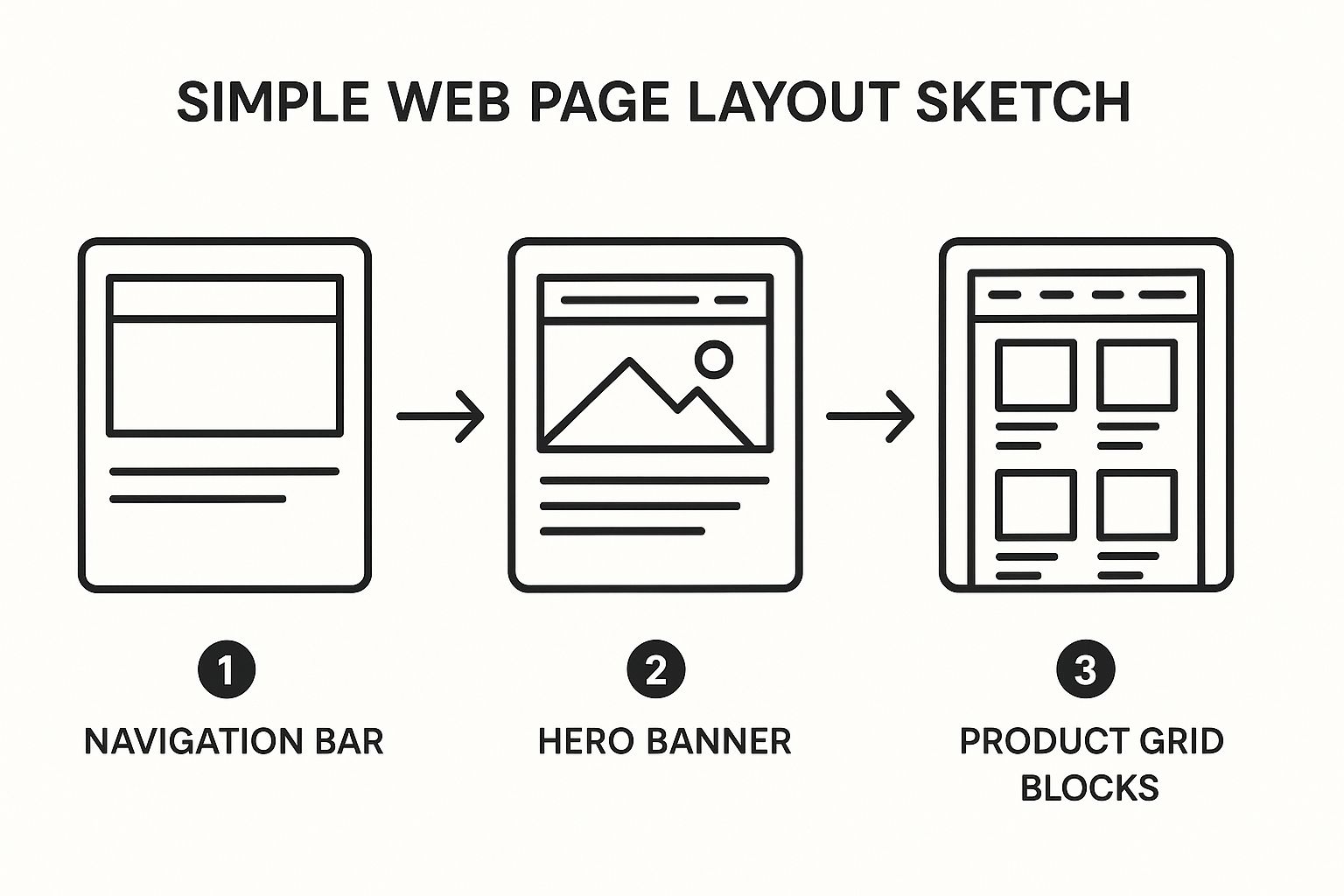
As you can see, that big hero image is what grabs attention first. From there, the clear navigation and product sections make it simple for shoppers to dive deeper.
Structuring Your Homepage and Subpages
Think of your Store's homepage as your digital storefront. It needs to make a killer first impression and instantly tell people what you're all about. I always recommend starting with a big, beautiful hero image or video that captures your brand's personality. Right below that, feature a curated mix of your best-selling or newest products to pull people in.
But a great Store is more than just a homepage. Thoughtful subpages are what encourage people to stick around and explore. Your navigation bar is the directory, so create distinct pages for each of your main product categories. For example, a skincare brand might have pages for "Moisturizers," "Serums," and "Cleansers" to make shopping incredibly intuitive.
A pro tip: Always create a dedicated "About Us" or "Our Story" page. It’s a fantastic way to build a real connection. Shoppers who feel connected to your mission are far more likely to become loyal, repeat customers.
Driving Traffic to Your New Brand Hub
Your store is live! Now what? You have to get people to actually see it. This is where influencers, affiliates, and brand ambassadors come in. Using a tool called Amazon Attribution, you can create unique tracking links for your partners to share.
This is a must-do, especially for brands with a decent-sized catalog. Instead of sending an influencer's audience to a single, lonely product page, you can direct them to your beautiful, multi-page Amazon Store. This one change introduces shoppers to your entire brand world, which can dramatically increase cross-sells and boost your average order value. If you're serious about this, you'll want to build a winning brand ambassador program for Amazon to keep everything organized and effective.
Getting this right allows you to tap into the massive spending happening on the platform. With Amazon's global sales hitting around $638 billion in 2024, a well-promoted Store is your ticket to capturing a much bigger piece of that pie.
Tips for an Effective Amazon Store Page and Subpages
A great Amazon Store page does more than just show off your products; it actually invites customers to stick around and explore. Moving beyond a single landing page to build out strategic subpages is how you turn a quick glance into a deep dive. This is where you increase session time, nudge up that average order value, and build a memorable brand experience.
First things first, though. This powerful feature is exclusively for brands enrolled in Amazon Brand Registry. It’s a non-negotiable step that hands you the keys to your own custom storefront. We've walked through the prep work in other sections, including our guide on Brand Registry requirements.
Creating a Logical Navigation Menu
Your store's navigation bar is the roadmap for your customers. If it’s confusing or cluttered, you can bet shoppers will hit the back button in a heartbeat. The real goal here is to make discovery feel completely effortless.
Let's say you're a skincare brand. Instead of just dumping every single product on your homepage, you should organize your navigation with clean, clear categories. It might look something like this:
- Cleansers: A page dedicated only to your face washes and makeup removers.
- Serums: The perfect spot to highlight targeted treatments, like Vitamin C or hyaluronic acid.
- Moisturizers: Group your day creams, night creams, and face oils together here.
- About Our Ingredients: Use this as a brand-building page to tell the story behind your unique formulas.
This kind of structure lets shoppers find exactly what they’re looking for without feeling overwhelmed. It’s the difference between a well-organized boutique and a messy discount bin.
The image below is a fantastic example of a clear, category-driven navigation menu that just works.
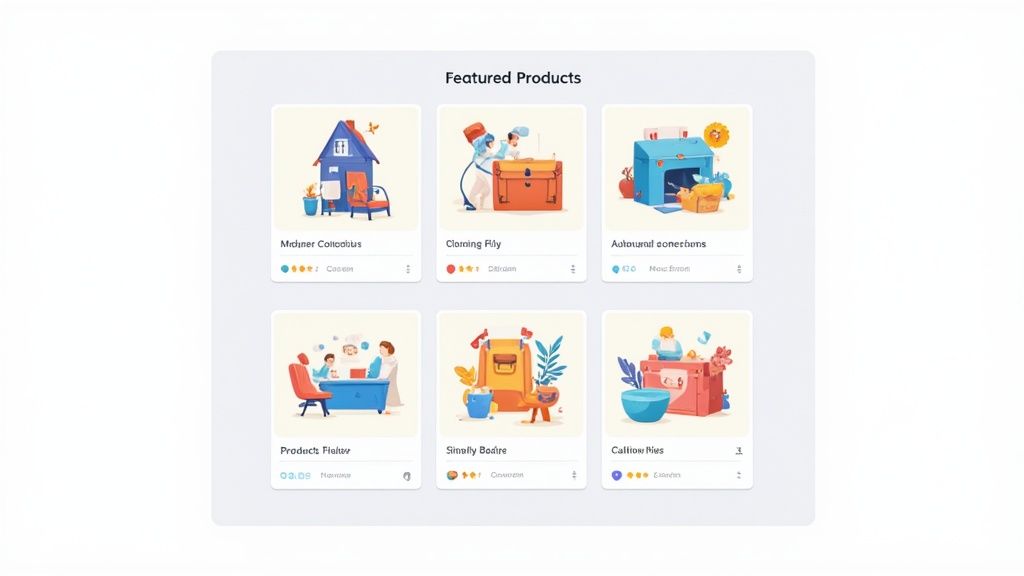
A layout like this makes it incredibly easy for a customer to dig deeper into the brand’s different product lines, which is exactly what you want them to do.
Driving External Traffic to Your Brand Hub
Okay, so your subpages are built and looking great. Now what? You've got to get people to see them. This is where your influencer and affiliate partners become incredibly valuable. Instead of sending their followers to a single product page, they can now link directly to your curated brand universe using Amazon Attribution links.
Pro Tip: This is a game-changing strategy for any brand with a diverse catalog. Sending traffic from a TikTok video or Instagram post to a broader category subpage introduces shoppers to your entire brand, not just one product. The potential for a cross-sell here is huge.
Imagine a home decor influencer linking their followers to your "New Arrivals" subpage instead of just a single pillow. Shoppers land on a page filled with fresh, exciting products. Right away, you've increased their time in your store and boosted the potential size of their cart.
This simple shift in strategy turns a one-off product plug into a full-blown brand introduction, driving awareness and building the kind of loyalty that lasts.
Driving Traffic with Amazon Attribution
So you've built a gorgeous Amazon Store page. It looks great, the subpages are thoughtfully laid out, and it truly represents your brand. That’s a huge win, but it's only half the battle. A stunning store won't do much if nobody ever visits it.
Your next mission is to funnel high-quality traffic from outside Amazon directly to your new brand headquarters. This is where your external marketing—all those social media posts, blog articles, and influencer campaigns—starts paying off in a big way.
The key to making this happen is Amazon Attribution. It's a free program for any Brand Registered seller, and honestly, it's a non-negotiable tool for serious brands. It lets you create special tracking links for your off-Amazon marketing efforts. Without it, you’re flying blind, just guessing which channels are actually driving sales. With it, you get crystal-clear data on what's working and what's not.
From a Single Product to a Brand Experience
Here’s a strategic shift that can completely change your results: stop sending external traffic to single product pages. So many brands make this mistake. They run an Instagram ad or a TikTok campaign and link directly to one specific product. It feels direct, but it's incredibly shortsighted and leaves a massive opportunity for brand building and cross-selling on the table.
Instead, start sending that hard-won traffic to your Store's homepage or a relevant category subpage using your new Amazon Attribution links. This is an absolute game-changer, especially if you have more than a few products.
By sending influencer traffic to a curated Store page, you shift the interaction from a simple transaction to a full brand discovery. Shoppers are introduced to your entire product line, your story, and your brand's unique vibe, significantly increasing the chances of a larger purchase.
Using Attribution Links with Influencers
Let's walk through a real-world example. Imagine you've partnered with a popular home decor influencer to show off your new bedding line. The old way would be to give them a standard link to a single duvet cover.
The smart way is to generate a unique Amazon Attribution link that leads them to your "Bedding Collection" subpage.
Now, when their followers click through, they don't just see one item. They land on a beautifully merchandised page featuring everything that goes with it: the matching sheets, the pillowcases, the throw blankets. You've instantly multiplied your chances of making a bigger sale and boosted your average order value.
This is what tracking that impact looks like inside the Amazon Attribution dashboard.
The dashboard gives you the critical data points—clicks, add-to-carts, and actual purchases—so you know exactly which campaigns are hitting the mark.
For a more detailed walkthrough, our complete guide on the Amazon Attribution link breaks down exactly how to create and use them. This is how you finally connect the dots between your off-Amazon marketing spend and real, measurable sales.
Got Questions About Your Amazon Store?
As you start piecing together your Amazon Store, you're bound to run into a few questions. It happens to everyone. Let's walk through some of the most common ones I hear from sellers so you can get unstuck and move forward.
How Much Does It Cost and Who Can Build One?
The big question is always about cost. Good news: building and hosting an Amazon Store page is completely free. Seriously. It's one of the best free marketing tools Amazon gives brands.
But there’s a catch. You can't just open a seller account and start building. You must be enrolled in Amazon Brand Registry. While Brand Registry itself is free to join, getting the required registered trademark isn't. That process has its own costs and can take a while, so plan ahead. You'll also need a Professional selling plan, not an Individual one.
What's the Deal with Approvals and Updates?
So you’ve designed your dream Store and hit the submit button. Now what? You wait for Amazon's approval, which they call "moderation." In my experience, this usually takes anywhere from 24 to 72 hours.
Keep an eye on your email. Amazon will let you know when it’s live or if they need you to fix something first. A heads-up: during super busy times like the Q4 holiday rush, this process can sometimes take a little longer.
An Amazon Store isn't a "one and done" project. Think of it as a living, breathing part of your brand. You should be updating it all the time with new products, seasonal campaigns, or fresh lifestyle photos. Just remember that every time you submit an update, it goes back through that same moderation queue before it's published.
How Do I Know If My Store Is Actually Working?
This is where the fun starts. How do you measure success? Amazon gives you a dedicated dashboard called Store Insights. This is your command center for performance.
Inside Store Insights, you can track all the important stuff:
- Daily Visitors: How many unique shoppers are stopping by.
- Page Views: The total number of pages they're looking at.
- Sales: The actual revenue you're generating from Store visitors.
- Units Sold: The number of products flying off your digital shelves.
This data is gold. It tells you exactly how people are engaging with your brand on Amazon.
But what about traffic you're sending from places like Instagram, TikTok, or your email list? For that, you absolutely need to use Amazon Attribution. It's a game-changer because it connects your off-Amazon marketing directly to what happens on Amazon. You can finally see which ads, influencers, or social posts are actually driving people to your Store and making sales. This gives you the full 360-degree view of your performance.
Ready to turn your influencer and affiliate partnerships into a powerful sales engine for your Amazon Store? Coral provides all the tools you need to manage your creators, track sales with Amazon Attribution, and automate commission payouts. Learn more and start for free at coral.ax.